Screen in Screen
- Desktop film
- Interface as the camera
A display inside the shot carries its own image.
Opens a video model with the prompt in it. The price is on the page before you sign in.
What it is for
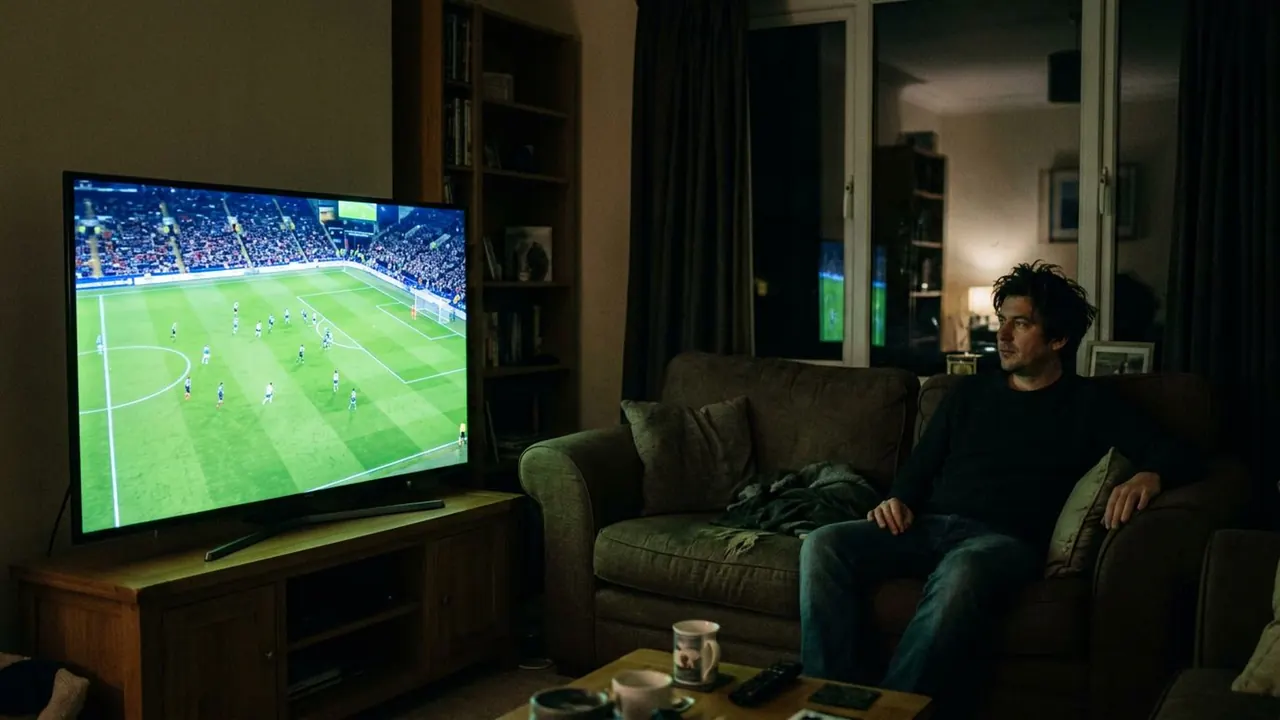
A display inside the shot carries its own picture, so the frame holds two images at once and the audience compares them.
It is also how most information arrives now. A phone, a monitor or a television in shot delivers text, a face or a live feed without any cut to a separate insert.
How it works
Name what is on the screen. A blank display is a rectangle, and a display showing a face, a headline or a security feed is a second scene.
Match the exposure. Screens are much brighter than rooms, so a correctly exposed room gives a blown white rectangle, and a correctly exposed screen gives a black room. Pick one, or ask for a dim screen in a dim room.
Watch the refresh. Real cameras can beat against a display and produce rolling bands, which reads as authentic in found footage and as a fault everywhere else.
When to use it
Use it when a character receives information, when two places have to be in one frame, and in any story told through devices.
Skip it when the screen would say what a face could. A shot of somebody reading bad news is usually stronger than a shot of the message.
Told apart from its neighbours
Split screen divides the frame into panels with an editorial line between them. A screen in screen keeps one continuous frame and the second image belongs to an object inside it.
An insert cuts to the detail on its own. A screen in screen keeps the room and the display in the same shot.
On film
Aneesh Chaganty tells all of Searching (2018) through displays, and Levan Gabriadze does the same in Unfriended (2014), so every scene is a screen inside the screen the audience is watching. Buster Keaton had already played with the idea in Sherlock Jr. (1924), where a projectionist walks out of the auditorium and into the film on the screen.
- Searching (2018)
- Unfriended (2014)
- Sherlock Jr. (1924)
The prompt
Replace the blanks, keep the rest. Then run it on a video model.
<subject> with <screen> in frame showing <content>, display legible within the shot, two images at once
What goes wrong
The model returns a blown out white panel with nothing legible on it. Name the content and say the screen is legible, dimmer than it would really be.
The second failure is a screen showing generic glowing shapes. Describe the image on the display as carefully as you describe the room.
Leave out
blank screen, single image
Watch for
Name what is on the screen. A blank display is just a rectangle.
Questions
Shoot it
Pay for the one run. No subscription, and the price is on the model page before you sign in.