Sequential Data
- single hue ramp
- heat scale
- choropleth palette
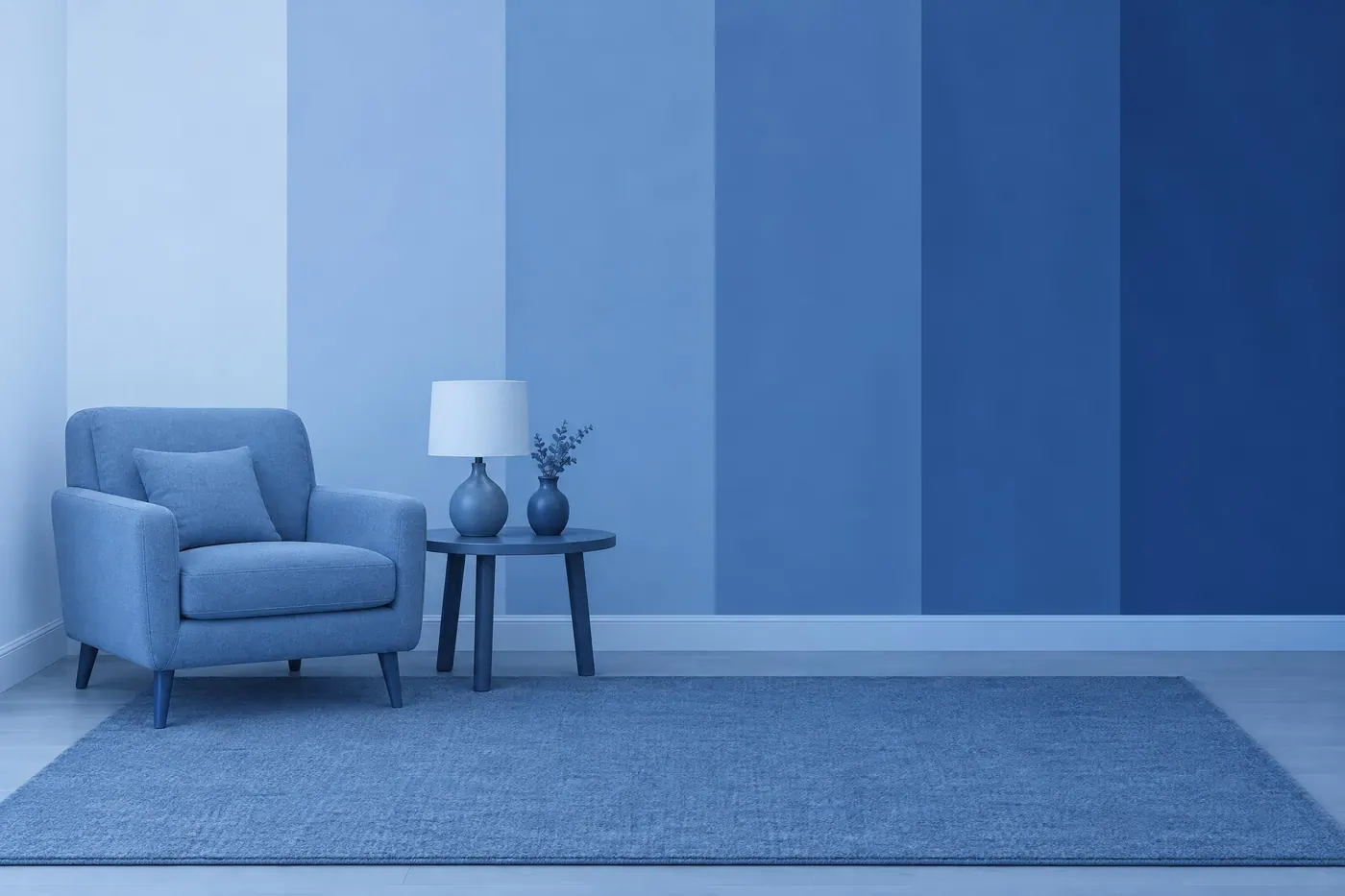
One hue in six even steps, pale to deep, for a number that goes up.
Opens an image model with the palette in the prompt. The same words work on a video model.
- #EFF3FF
- #C6DBEF
- #9ECAE1
- #6BAED6
- #3182BD
- #08519C
What it is for
The eye ranks lightness without being asked. A sequential palette borrows that: darker means more, and a reader knows it before reaching the key.
It is also the palette that fails silently. A ramp with an uneven step in it invents a boundary in the data, and the map still looks correct, so nobody catches it.
How it works
Hold one hue and change only the lightness. Two hues in a ramp make the reader ask where the second one starts, and there is no answer.
Space the steps evenly by lightness rather than by mixing ratio. This one is the six class Blues set from ColorBrewer, which is already spaced for the job.
Check the dark end against the label on it. The deepest blue here reaches about 7.1 to 1 against the palest, so white type sits comfortably on the top two steps and dark type on the bottom two.
When to use it
Use it for a choropleth map, a heat map, a density plot, a rating, or any scale that runs from none to a lot.
Leave it alone for data with a meaningful middle, such as profit against loss or a temperature anomaly. That needs a two ended scale, with a neutral at the centre and a different hue on each side.
Told apart from its neighbours
Monochromatic is the same one hue at many strengths, chosen for how it looks. This one is chosen for how it measures, and the even spacing is the whole difference.
Categorical Data changes hue and holds lightness. Using it for ranked data hides the ranking, and using this one for unranked data invents a ranking that is not there.
Where it was used
The single hue ramp is the standard fill for a choropleth map and has been since printed census atlases. ColorBrewer published the tested versions, and the six class Blues set here is one of them.
- ColorBrewer
- Choropleth maps
- Heat maps
The prompt
Run it as it stands, or drop the colour clause into a prompt you already have. It works in an image prompt and in a video prompt.
<subject>, sequential palette of one blue in six even steps from very pale to deep, the lightness changing by the same amount at every step, no second hue anywhere, flat bands with no blending between them
What goes wrong
The steps come back bunched at one end and the ramp reads as two groups. Say the lightness changes by the same amount at every step.
A second hue arrives, usually a green creeping into the middle. Say one blue only and no second hue anywhere.
Leave out
a second hue, uneven steps, a rainbow ramp, a gradient
Watch for
Uneven steps lie. A jump in lightness reads as a jump in the number, whether or not there is one.
Questions
Paint it
Pay for the one run. No subscription, and the price is on the model page before you sign in.