Best AI Voice Generator: 10 Tools Compared for 2026
November 21, 2026 · 18 min read
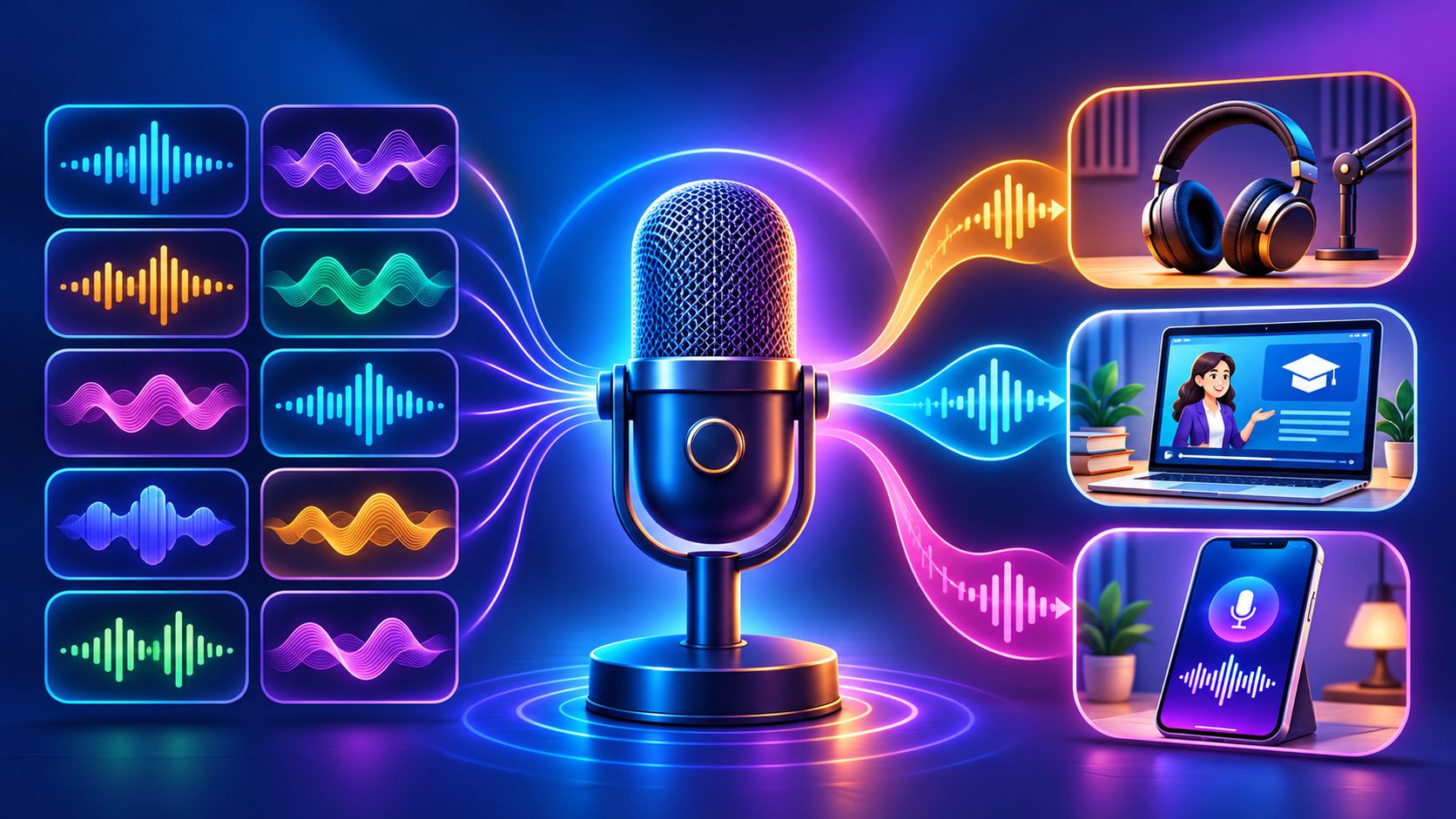
A podcast episode is due Friday and there's no narration track. A training team has twelve modules to voice before the quarter ends. A developer needs speech inside an app that answers calls overnight.
Three jobs, and no single list of the best AI voice generator tools serves all three. Narration rewards control over pronunciation, pace, and emphasis. Developer speech rewards latency and predictable billing. Editing workflows reward the ability to fix one sentence without regenerating ten minutes of audio.
Budget is usually the first filter. This comparison of the cheapest AI voice generator plans shows how far free tiers stretch before commercial rights disappear, and it's worth reading before a headline price sells you.
The second filter is the one most roundups skip: what a credit buys. A tool that charges per character can cost more per finished minute than one that charges per download. A subscription that resets monthly punishes anyone who records in bursts. A free plan without commercial rights costs you a redo, not a discount. Below are ten tools sorted by the job they do.
Table of Contents
- 1. ElevenLabs Text to Speech
- The Billing Model Is the Real Difference
- What the Public Page Doesn't Tell You
- 2. ElevenLabs
- Where the Credits Go
- 3. Murf AI
- Score Naturalness Instead of Arguing About It
- 4. Speechify Studio
- Cadence Is the Part That's Still Hard
- 5. WellSaid
- Commercial Rights Are Not Copyright
- 6. Cartesia
- Measure Milliseconds, Not Adjectives
- 7. Inworld AI
- 8. NaturalReader Commercial
- 9. Descript
- A Voice Isn't Property
- 10. Amazon Polly
- How the ten voice generators compare on use case, free access, starting price, and commercial rights
- Pick the Voice Tool Only After a Short Test Run
- Build a Test Script That Fights Back
- Count Cost per Finished Minute
- Keep a Human in the Loop
1. ElevenLabs Text to Speech
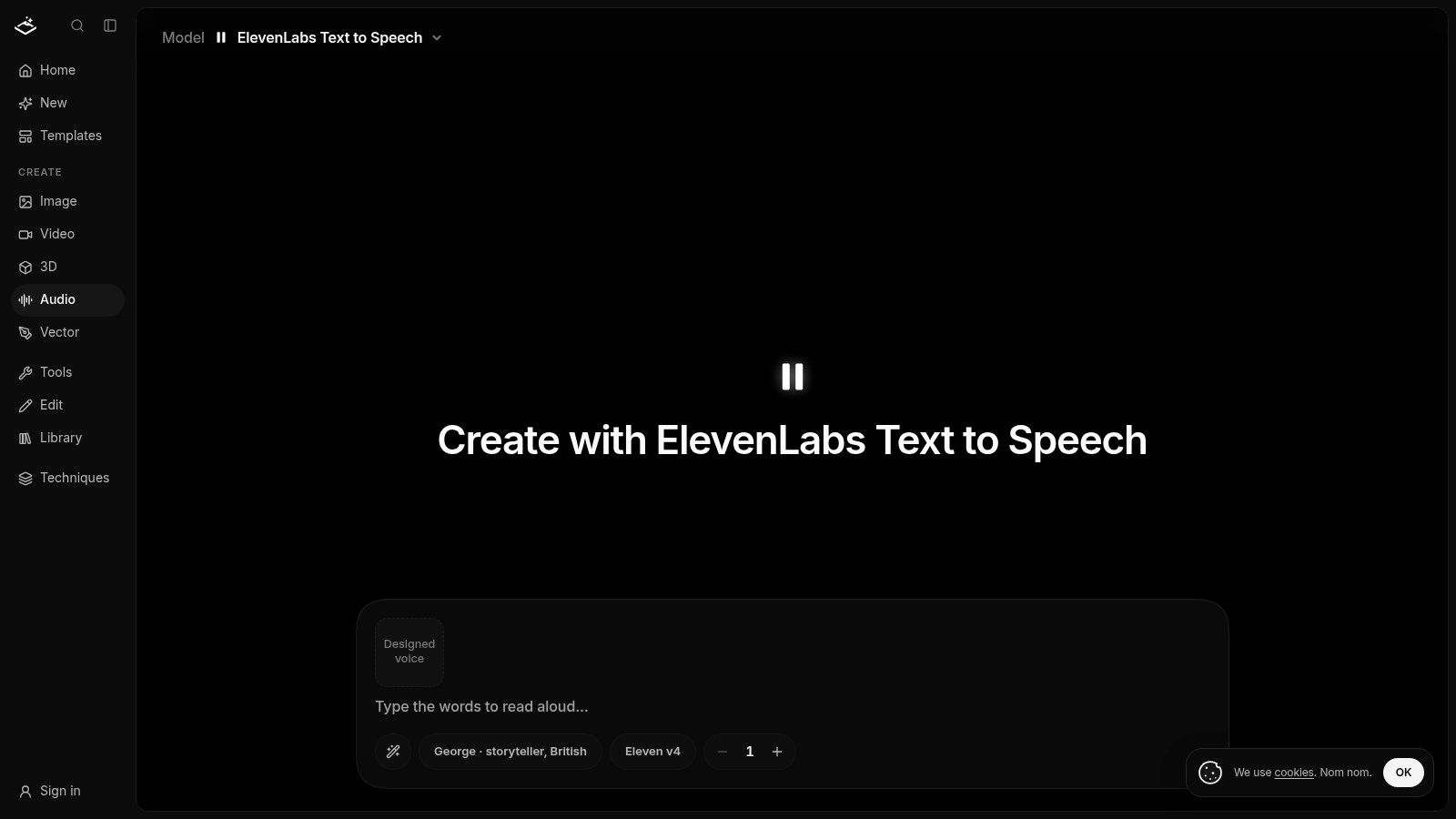
ElevenLabs Text to Speech is the model many picture when they say AI voice. Here it runs as one job type inside a pay-per-use workspace, drawing on the same credit balance as image, video, vector, and 3D generation.
That matters because text to speech carries the volume. Neural synthesis made up 49.6% of the AI voice generator market in 2025, and the same MarketsandMarkets analysis projects the category climbing from about $4.16 billion in 2025 to $20.71 billion by 2031, a 30.7% compound annual growth rate.
The Billing Model Is the Real Difference
Most voice subscriptions punish anyone who records in bursts. You pay for twelve months to cover four projects. Here you buy credits, one credit equals one cent, and they don't expire. There's no subscription, and the price shows on the model page before you sign in, so a script that grows from 800 words to 4,000 is a visible decision rather than a renewal surprise.
The same balance covers the web app, the CLI, and the MCP server, which means an assistant in Claude or Cursor can produce a voiceover on your account and read back the result. If you'd rather not pick a model, describe the voice you want and the agent selects the model and writes the prompt for it.
What the Public Page Doesn't Tell You
Voice catalog, language coverage, and word-level controls aren't documented in detail. Treat this as the fastest route to a known engine, not as a voice design studio.
Buy the test first: Credit purchases start at $10, which is more than a single narration test needs. Run your script once before funding a larger balance.
Strengths - One balance, many models: More than 91 models across creative categories share the same credits. - No idle cost: Nothing renews while you're between projects. - Transparent runs: The price appears before generation, not after. - Several entry points: Web, CLI, and MCP clients draw on the same account.
Cons - Thin documentation: Voice choices and TTS controls aren't spelled out publicly. - Purchase floor: The $10 minimum is real money for a one-off test.
Who it suits: Teams already generating images or video in one workspace who need narration without a second vendor relationship.
For the pipeline behind the button, how AI voice generator text to speech works explains what happens between script and MP3.
2. ElevenLabs
Buying ElevenLabs the platform is a different decision from using ElevenLabs the model. The studio bundles text to speech, voice design, instant and professional cloning, dubbing, speech to text, sound effects, music tools, and an API with official Python and TypeScript SDKs. A free plan exists, with enough audio to hear the model before paying, and paid tiers add usage once the free allowance runs out.
Where the Credits Go
Consumption varies by model and product, so a dollar does not map to a fixed number of minutes. The same credit buys a different amount of speech depending on which engine runs the job, and unused monthly credit may not roll over the way you assume. Price the workload before the vendor: run your actual script once on the free tier, then multiply by your monthly volume. Check the free tier's commercial terms too, since an allowance and a license are separate questions.
Text to speech is still the engine room. Emergen Research puts text-to-speech at 56.8% of the global AI voice-generator market in 2025, which is why the platform keeps expanding into dubbing, sound effects, and agent builders.
Cloning is the part to slow down on. In a Consumer Reports assessment of six voice-cloning products, researchers cloned a voice from publicly available audio with four of the services, and those tools verified consent with a checkbox and no technical proof behind it. Convenience and risk arrive together.
Voice quality is the easy part of the decision. Ask what happens to your credit balance when the model you standardized on gets replaced.
Who it suits: Teams wanting one vendor across narration, dubbing, and in-app speech, and who can absorb variable credit consumption. Solo creators who only need a finished voiceover will find the credit math heavier than the task.
Read the ElevenLabs pricing and features breakdown before choosing a tier.
3. Murf AI
Say a 14-minute training module needs "kilowatt" pronounced one way and a client name pronounced another, and the reviewer wants to hear both before signing off. Murf's editor is built for that argument. Pronunciation, speed, emphasis, and variability controls sit beside the script, and "Say It My Way" handles names the model keeps flattening. The free plan includes 10 minutes of generation, and paid plans start at $19/month.
Score Naturalness Instead of Arguing About It
Perceived quality is measurable. Mean Opinion Score is a 1 to 5 listener rating for speech naturalness, and the SQuId multilingual study aggregated roughly 1.9 million human ratings across 66 locales. Its central finding, that multilingual models trained across many locales can outperform mono-locale baselines, is why a demo in one accent proves very little about your script.
The platform lists more than 200 voices across 30+ languages and accents, Canva and presentation integrations, plus dubbing, voice changing, and transcription. Narration and light editing share one workspace, which saves the export-and-reimport step.
Where it frustrates - No downloads on free: The free tier gives samples, not assets, and no commercial rights. - Capped generation time: Self-serve plans limit total voice-generation time, so a long course can outgrow the tier. - Uneven voices: Some voices carry a script; others still sound synthetic next to the best models in this list.
Who it suits: Learning teams and marketers producing slide-based or video narration with heavy pronunciation review.
If you're new to the workflow, how to make an AI voice covers script prep and export.
4. Speechify Studio
Speechify Studio gets confused with the reading app, and the confusion costs money. The reading app plays documents aloud. Studio is the production tool for voiceovers, dubbing, and voice changes across videos, ads, courses, podcasts, and audiobooks, with more than 1,000 voices listed on its pricing page. The free plan includes 600 credits; Studio Starter is listed at $100/year and Creator at $300/year.
Cadence Is the Part That's Still Hard
Getting individual words right was solved before rhythm was. The history of text to speech runs from rule-based formant synthesis to Prose 2000 in 1982, DECtalk in 1984, concatenative synthesis in the 1990s, and then DeepMind's WaveNet in 2016 and Google's Tacotron in 2017, when end-to-end models began producing natural prosody instead of one even, flat read. Cadence separates a usable voice from an audible one.
Strengths - Free entry: 600 credits let you judge cadence on your own script. - Combined workflow: Voiceover and dubbing live in the same place. - Low annual starting point: Starter is among the cheaper annual listings here.
Cons - Credits aren't uniform: Different features consume them at different rates, so one credit isn't one audio minute. - No rights on free: Audio generated on the free tier carries no commercial usage rights. - Two products, two subscriptions: Check which Speechify product you're buying before checkout.
The credit label tells you nothing until you know the rate. Generate a 60-second clip first, then look at what it actually consumed.
Who it suits: Creators who need voiceover plus dubbing and want the smallest annual commitment.
5. WellSaid
Rights come before voice quality with WellSaid, which is the right order. The free tier gives three download minutes per month with no commercial rights. The Starter plan is listed at $10/month billed annually or $19/month monthly, with commercial rights and downloaded-audio allowances stated up front. That clarity beats most competitors.
Commercial Rights Are Not Copyright
A license to publish audio isn't the same as owning it. The U.S. Copyright Office's AI guidance says it will not register material produced solely by a machine, and applicants must identify and disclaim more than minimal AI-generated material. Your script, your edit, and your arrangement may still be protected. The generated read may not be.
The editor is built for business narration. Voices carry controls for tone, pitch, and emotional delivery, projects support caption files and management, and higher tiers add collaboration and integrations. Curated voice sets mean fewer choices than ElevenLabs, and fewer ways to end up with a voice nobody vetted.
Strengths - Published terms: Commercial rights and download minutes are stated, not buried. - Self-serve to enterprise: Start alone, scale to a team later. - Download budgets: Minutes are a limit you can plan against.
Cons - English-first: Published self-serve plans center on English voices, with full language access treated as an enterprise feature. - The trial is a sample: Three minutes a month won't carry a real project. - Minutes, not attempts: Regenerating a paragraph burns the same allowance as a keeper.
Practical rule: Count downloaded minutes per finished module before comparing prices. A cheaper tier with half the minutes can cost more per delivered lesson.
Who it suits: Corporate learning teams that need documented rights and predictable download budgets more than exotic voices.
6. Cartesia
If your speech has to answer inside a live conversation, latency decides whether the product feels alive. Cartesia's Sonic text-to-speech models, cloning, speech recognition, and voice-agent services target that constraint. The free plan includes 20,000 credits per month, and Pro starts at $5/month.
Measure Milliseconds, Not Adjectives
The Picovoice TTS benchmark reports first-token-to-speech latency of 106 milliseconds for Orca Streaming TTS, against 335 milliseconds for ElevenLabs Streaming, 1,614 milliseconds for eSpeak-NG, and a figure 26 times higher for OpenAI TTS in that test. Those numbers describe streaming response for agents. They don't predict the best result for prerecorded narration, so don't carry them into a podcast decision.
Browser tools cover text to speech, voiceover, and voice changing, which lets you prototype before you write a line of code.
Strengths - Fast path in: Free credits and browser tools make experimentation cheap. - Published pricing: You can estimate cost without a sales call. - One stack: TTS, speech to text, and agent services from one vendor.
Cons - Credit translation work: You'll do arithmetic to turn credits into a monthly audio budget. - Cloning tiers: Professional cloning and higher concurrency sit on more expensive plans. - Not an editor: No timeline, no captions workflow, no video.
Who it suits: Developers building voice agents, phone systems, or interactive apps where the first syllable has to arrive fast.
7. Inworld AI
Deployment stopped being the hard problem in voice agents. Satisfaction is the hard problem. A survey cited in the AssemblyAI voice agent report found that 80% of organizations already used traditional voice-agent systems, yet only 21% were very satisfied with them. Reported customer satisfaction with AI voice interactions rose from 53% in 2022 to 72% in 2025, which leaves plenty of room for a platform selling better turn-taking.
Inworld offers realtime TTS-2 and TTS-2 Flash models, a playground for testing voices and settings, voice cloning and design, and an API with multiple audio output formats. On-demand testing is free for up to 70 minutes of TTS, and the Creator plan is listed at $25/month. Published per-million-character rates are the numbers that matter at scale.
Strengths - Real testing depth: 70 free minutes is enough to run actual dialogue scripts. - Cost estimating: Per-character rates make production budgeting possible. - One path to production: Playground to API without changing vendors.
Cons - Higher entry price: $25/month is more than a solo creator tool. - Credit rules: Unused subscription credits have expiration and rollover conditions. - Developer-shaped: Little help if all you want is a single narration file.
Test the failure case: Run a script with names, numbers, and interruptions. Voice agents break on turn-taking long before they break on pronunciation.
Who it suits: Teams shipping conversational characters or support agents who want a playground before committing to an API contract.
8. NaturalReader Commercial
NaturalReader Commercial sells consolidation: one subscription that puts voice models from Gemini, OpenAI, Azure, and ElevenLabs behind a single login. You get voices in more than 90 languages, controls for delivery, accent, emotion, and tone, plus cloning, a script assistant, a pronunciation editor, and MP3 or WAV downloads. Starter is listed at $29/month or $198/year with 500,000 monthly credits, and Creator raises that to 2 million.
The trap is the credit math. The same script consumes credits at different rates depending on which engine you pick, so "500,000 credits" means four different runtimes across four providers. Price your typical script on the engine you plan to use before comparing this plan to a single-provider subscription. And get consent right: listeners often can't reliably tell an AI voice clone from real speech, so a weak or unauthorized clone can pass casual review and still cost you later. Multi-provider access transfers no consent safeguard to your project.
Strengths - Multi-provider: One login for several of the strongest engines available. - Licensed output: Commercial plans include commercially licensed audio. - Non-expiring top-ups: Pay-as-you-go credits stay in your account rather than expiring.
Cons - Top-ups need an active plan: Extra credits are only sold alongside a subscription, not standalone. - Rate varies by provider: Credit consumption differs per engine, which complicates cost forecasting. - Non-refundable: Commercial subscriptions don't come back, according to the provider's help information.
Pick the engine, then pin it. Switching providers mid-project changes pronunciation, and listeners hear a different person mid-sentence.
Who it suits: Studios producing multilingual narration who'd rather not juggle four vendor accounts.
9. Descript
If the voiceover is one step in a longer edit, Descript saves more time than a dedicated generator. You generate speech from text, choose a stock voice or a custom clone, then cut the surrounding audio and video on the same timeline. Transcription, speaker labeling, and text-based editing are already there. Hobbyist is listed at $16/month billed annually or $24 monthly, with a free plan to test the workflow.
A Voice Isn't Property
Cloning inside an editor feels casual. The law doesn't treat it that way. The U.S. Copyright Office's notice on AI and copyright states that a person's voice isn't itself a copyrightable work because it isn't an original work fixed in a tangible medium, while unauthorized replicas may still be restricted by state publicity rights, unfair competition rules, and other laws. Federal copyright law doesn't override those protections.
Strengths - One workspace: Voice generation beside the edit that needs it. - Text-based editing: Fix a sentence by typing instead of cutting waveforms. - Free plan: Enough to judge whether the workflow fits your process.
Cons - Not a dedicated generator: Plans bundle editing capacity and AI credits, so voice cost is hard to isolate. - More software than you need: For a single MP3, it's overkill. - Plan-dependent limits: Feature limits and credit allocations shift by tier.
Who it suits: Podcasters and video editors who'd rather not export audio to a second tool and re-import it.
For the experiments that go beyond narration, AI voice generator singing covers where these models still struggle.
10. Amazon Polly
Polly is the developer's option: a text-to-speech API that assumes your stack already lives on AWS. It converts text or SSML into audio through Standard, Neural, Long-Form, and Generative voice tiers, with pay-as-you-go billing, Speech Marks for syncing audio to text, and direct integration with the rest of the cloud. There is no editor, no project library, no dubbing interface. You send text, you get audio back.
On AWS's published pricing, Standard voices start at $4 per million characters and Generative voices run US$30 per 1 million characters outside the free tier. A clean, published rate with no sales call. Per-character pricing looks trivial until you multiply it by a full audiobook script or a product that generates speech on every request.
Strengths - Published rates: Metered per character, with no credit conversion puzzle. - Free allowance: Character allowances exist, with terms that vary by voice type. - SSML and Speech Marks: Real control over pauses, pronunciation, and caption sync.
Cons - AWS overhead: Billing, permissions, and regional setup are friction for a marketer. - Feature variance: Engines and voice availability differ by region. - No creative layer: The output is an API response, so anything past raw audio happens in your own code.
Do the character math once. Estimate your script length in characters, multiply by the tier you actually want, then compare that against the finished-minute cost of a studio tool.
Who it suits: Developers embedding speech in an AWS-hosted product, where a metered per-character rate beats a subscription.
How the ten voice generators compare on use case, free access, starting price, and commercial rights
Read by job first, price second. Free access is the trap: credits and minutes are not rights, so treat any row without explicit commercial terms as a demo until the paid tier permits the output.
| Item | Best for | Free option | Starting price | Commercial rights |
|---|---|---|---|---|
| ElevenLabs Text to Speech | Occasional TTS through a shared creative workspace | No free option stated | $0.02 per Voiceover job | You keep output ownership where law allows; review before client use |
| ElevenLabs | Expressive voice creation and developer API access | Free plan available | $6/month | Do not rely on the free plan for client work |
| Murf AI | Polished voiceovers for videos, presentations, and training | 10 minutes of voice generation | $19/month | Not included on free plan |
| Speechify Studio | Voiceovers and dubbing for content production | 600 credits | $100/year | Included with paid plans |
| WellSaid | Business narration and training materials | Free trial; 3 download minutes monthly | $10/month billed annually | Included with paid individual plans |
| Cartesia | Developer-focused and interactive speech applications | 20,000 credits monthly | $5/month | Do not rely on monthly credits for client work |
| Inworld AI | Realtime speech and production API workflows | Up to 70 minutes of TTS testing | $25/month | Do not rely on test minutes for client work |
| NaturalReader Commercial | Multilingual commercial voice generation | No free option stated | $29/month or $198/year | Included with commercial plans |
| Descript | Voice generation alongside audio and video editing | Free plan available | $16/month billed annually | Do not rely on the free plan for client work |
| Amazon Polly | AWS-integrated, usage-based text-to-speech | Free-tier allowances available | $4 per million characters for Standard voices | Do not rely on free allowances for client work |
Pick the Voice Tool Only After a Short Test Run
No tool here wins on every axis, and the differences that matter only surface when your own script runs through two or three of them. Budget an hour for that test. It's cheaper than a year on the wrong plan.
Build a Test Script That Fights Back
Write one paragraph that includes a brand name, a number with units, an abbreviation, a question, a comma-heavy sentence, and one line in a second language if you publish bilingually. Run it in each shortlisted tool at default settings, then listen once at normal speed and once while reading the transcript. Most failures show up as a misplaced pause or a mangled product name, not as robotic tone.
Then check what demos never show. Recent accessibility research on AI-generated voices argues that voice configurations need versioning and user-controlled provenance, because model updates can change how a person sounds, and it recommends explicit consent for that drift. Ask whether custom voices can be pinned to a version, or whether an update will rescript your narrator.
Count Cost per Finished Minute
Convert every plan into the same unit. Take the monthly price, divide by the usable downloaded minutes, then add the cost of the redo you'll do anyway. Credit systems hide this. A plan charging per character makes long scripts expensive; a plan charging per download makes iteration cheap and voice choice risky.
Commercial rights are a tier question, not a product question. The free plan that let you test almost never includes them. Check the exact tier you'll publish under, and keep the receipt, because rights language changes between plans and updates.
Keep a Human in the Loop
The line between assisted and generated is the line that decides your rights. The Congressional Research Service analysis of AI and copyright describes a production team using an AI voice clone to reshape a human singer's vocal track toward Randy Travis's voice, and frames the legal question as the degree of human creative control. A session where a person directs the performance is treated differently from one where the model decides the expressive choices.
Review every output before it ships. Listen for names, numbers, and regional pronunciation, and label synthetic speech where your audience expects it. No tool on this list guarantees that its output is original, accurate, or free of third-party rights, and none of them takes the review step off your desk.
Visual Sandbox puts ElevenLabs text to speech, Gemini 3.8 Flash TTS, voice design, and voice changing on the same credit balance as image, video, and 3D generation, so a narration job doesn't need a separate subscription or a second login. Prices appear before each run, credits don't expire, and the same balance works from the web app, the CLI, or an MCP client inside your coding assistant. Visit Visual Sandbox to run a test voiceover and compare it against the tool you're using now.