How to Make an AI Voice: Steps, Consent and Testing
November 8, 2026 · 13 min read
What if the hard part of learning how to make an AI voice isn't the sound, but proving you had the right to make it? Most tutorials start with a microphone. They skip permission, testing, and disclosure. That's backwards. A voice can identify a person. You need to choose the method first, record permission before you record audio, and test the result before anyone hears it.
Table of Contents
- Choose the Method That Fits Your Voice
- Consent, Ownership and Permission Records
- What a Permission Record Should Hold
- How to Make an AI Voice Step by Step
- Recording Clean Reference Audio for Cloning
- Set Up the Room and Microphone
- Read for Variety, Not Just Length
- Test the Output Before You Use It
- Disclose and Publish Your AI Voice Safely
- Start Your First AI Voice Today
Choose the Method That Fits Your Voice
Start with one question. Whose voice is it? Your answer decides what you record, what permission you need, and where you can publish.
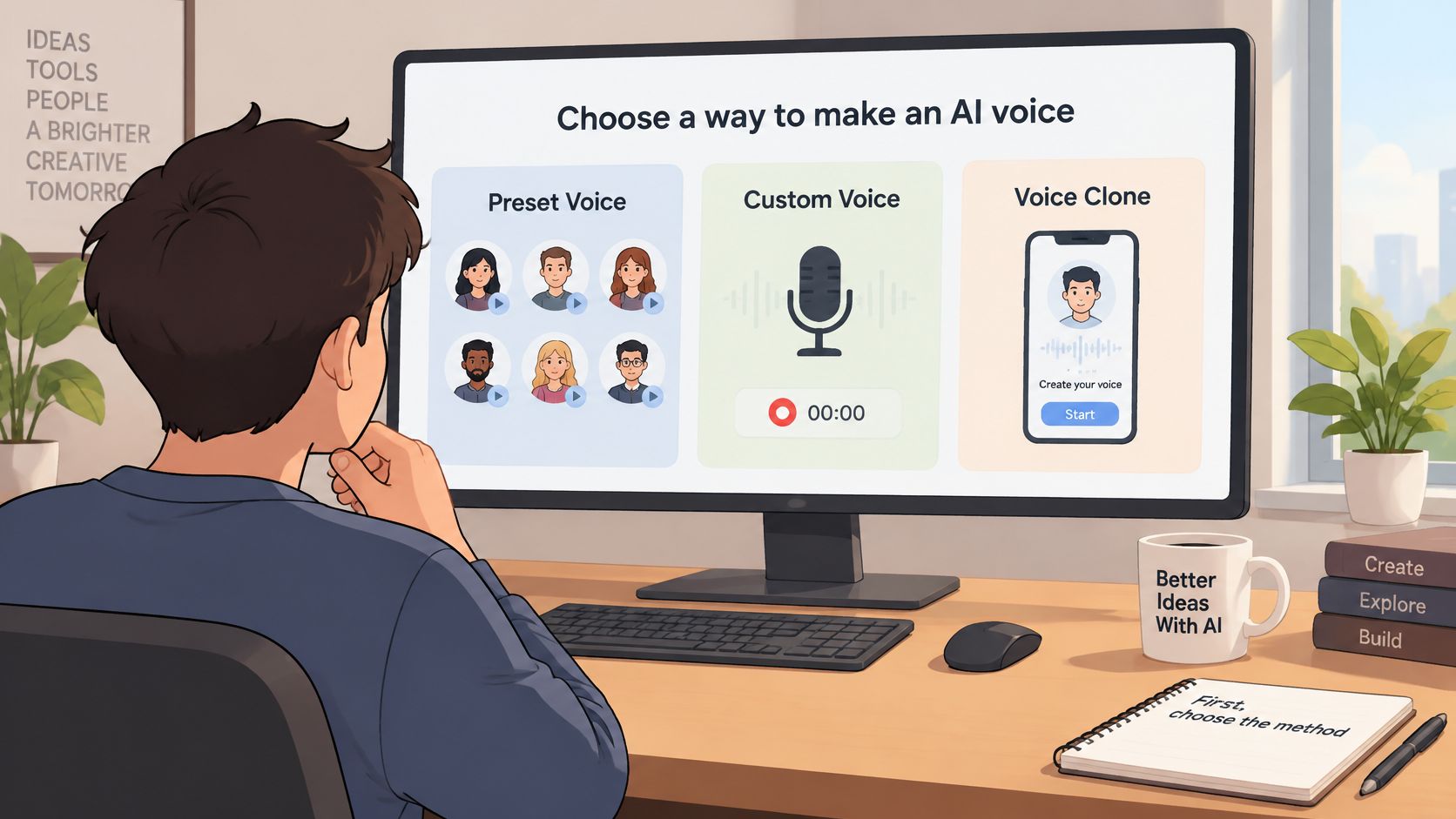
A stock or preset voice is the fastest route. You write text, pick a voice from a library, and generate audio. You don't record anyone. It's useful for drafts, prototypes, and quick voiceovers.
A designed voice starts with a description. You might ask for a calm, warm narrator with a light British accent and a slow pace. The model builds a new voice. It doesn't copy a real person, so it suits brand narrators and fictional characters.
A cloned voice copies a real speaker. The ElevenLabs privacy policy describes voice data as an audio recording or live narration, and says its AI analyzes how a person speaks before creating a model that can generate speech resembling that person. It also says the provider may ask users to record themselves to confirm that an uploaded voice belongs to them. In plain terms, you collect speech, the system learns vocal traits, and then it speaks new text.
| Method | What You Provide | Permission Needed | Best For |
|---|---|---|---|
| Stock or preset voice | Text only | Only the provider's license terms | Quick voiceovers and prototypes |
| Designed voice | A written description and a sample script | None, since no real person is copied | Brand narrators and fictional characters |
| Cloned voice | Recorded speech from the speaker | Explicit, documented permission from that speaker | A personal voice or an approved spokesperson |
Visual Sandbox offers voice design and text to speech tools. Its agent can turn a plain description into a model prompt. If you're comparing tools, read our guide to AI voice generation with text to speech before you commit to a method.
If a real person can be recognized, treat the project as a clone, even if the tool calls it something else.
Consent, Ownership and Permission Records
The rule is simple. Clone only your own voice, or a voice you have explicit permission to use. Don't treat a short social media clip as permission. Don't assume a client, employer, or family member agrees because they know you.
The ElevenLabs use policy prohibits cloning, synthesizing, or impersonating a living person's voice without explicit and informed consent or another valid authorization. It also prohibits using recordings of anyone under 18 to create or train a voice model. For professional cloning, the speaker must verify that the voice belongs to them, and only that person's own voice can be cloned in that mode, even when another person claims to have consent.
A checkbox isn't strong proof. A Consumer Reports assessment of AI voice cloning products found that four of six tested products allowed researchers to create clones from publicly available audio without a technical consent check. Users only self-attested that they had the legal right. That gap is why your own record matters.
What a Permission Record Should Hold
Store the record next to the voice file. Keep it short, but make it specific.
- Unique authorization script: The speaker reads a fresh sentence that names the project and confirms consent.
- Date and identity: Record who spoke, when, and how you verified them.
- Scope of use: List languages, territories, and uses such as advertising, support, localization, or internal training.
- Duration and downstream rights: Say how long permission lasts and whether edits, translations, or new scripts are allowed.
- Revocation terms: Explain how the speaker can withdraw permission and what you'll stop using.
Don't scrape audio from social media, podcasts, or calls to build that record after the fact. Ask first. Record the answer. If the speaker says no, use a preset or designed voice instead.
You keep ownership of the prompts and other inputs you submit and of the media you generate, to the extent the law lets you own AI-generated output. Our terms set out that position. It doesn't replace the speaker's permission. Ownership of a file and the right to copy a person's voice are two different things.
How to Make an AI Voice Step by Step
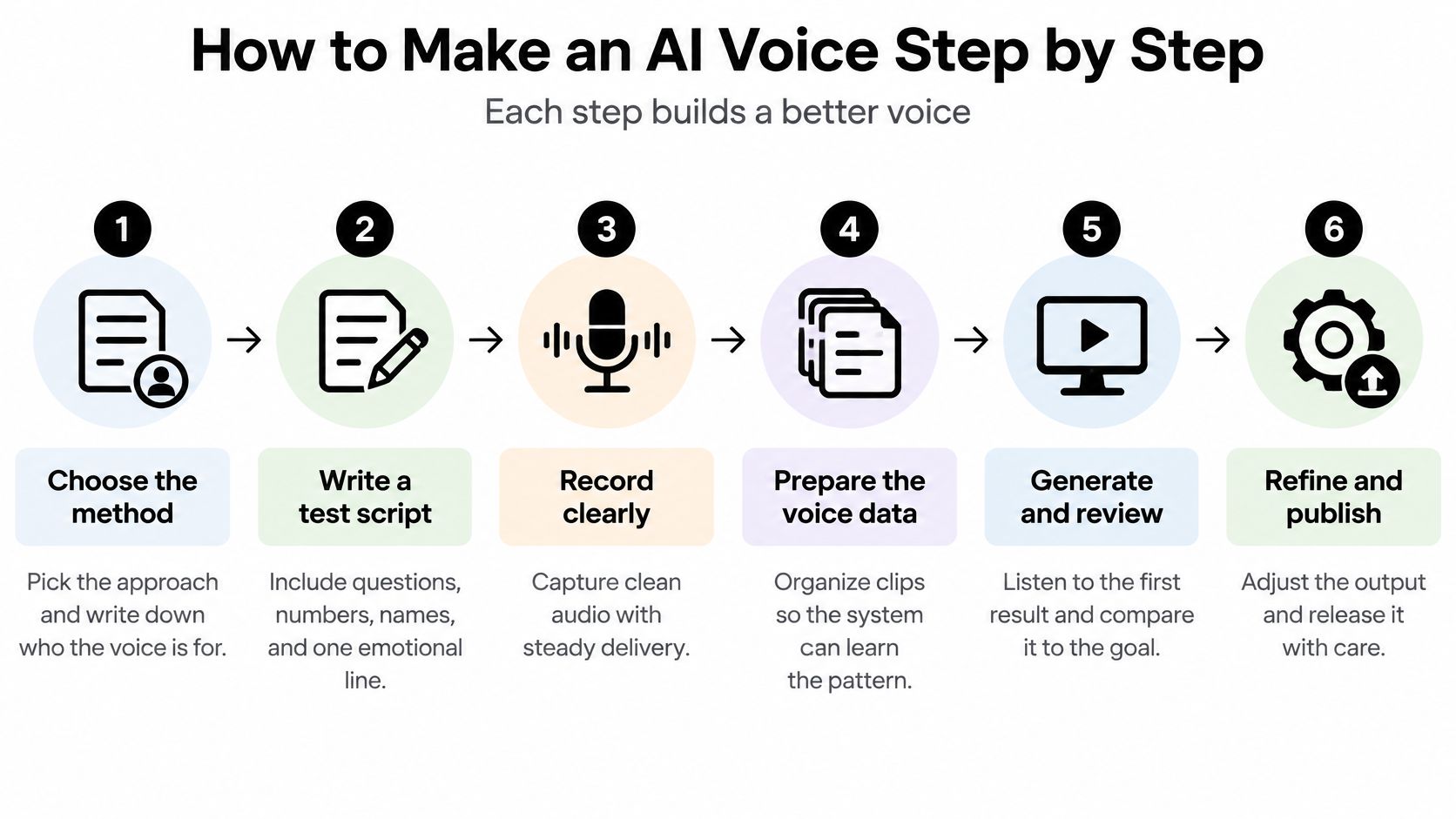
Good results come from small, traceable steps. Change one thing at a time. Save your script and settings with every take.
-
Choose the method. Pick preset, designed, or cloned. Write down who the voice is for and where it'll run. The common slip is starting with a clone when a designed voice would do the job with less risk.
-
Write a test script. Include a question, numbers, names, a list, and one emotional line. A flat script hides weak spots. Say your bakery ad needs "Open Tuesday to Saturday, call 555 0142 for Maya's sourdough." That one line tests days, digits, a name, and a product word.
-
Set the source. For a designed voice, describe age range, pace, accent, tone, and emotion. For a clone, use the clean reference audio covered in the recording guidance that follows. Vague descriptions produce vague voices, so write "measured pace, warm, slight smile" instead of "nice voice."
-
Generate a first take with default settings. Don't tune yet. You need a baseline. Then change one control at a time, such as pace, emphasis, or pauses. If you change three settings at once, you won't know which change helped.
-
Listen to the first sentence twice. Check names, clipped endings, odd pauses, and rushed words. The first sentence often reveals pacing problems fast. Fix the script before you blame the model. A comma, a line break, or a written out number can change the read.
-
Export and save the full context. Export in the format your platform needs. Save the script, model, settings, date, and reviewer with the file. A long script generated in one pass makes errors hard to trace, so work in short sections for longer jobs.
The short walkthrough below shows the same rhythm in practice, from first generation to review.
A good first take sounds steady. Names are correct. Breaths sound natural. Words aren't clipped. The pace holds from start to finish. If it sounds close but tired or tense, adjust the description or the script punctuation first. Small text changes often beat broad setting changes.
Recording Clean Reference Audio for Cloning
Cloning has two broad modes. They ask for different amounts of audio, and they suit different jobs. Don't pick the fast one just because it's fast.
The ElevenLabs voice library says users can create a replica of their own voice with less than one minute of sample audio, followed by voice ownership verification. Professional cloning uses a stricter process. It requires verification before a fine-tuning request, and it recommends recording samples in the language the clone will use. A quick clone can work for a rough draft. A paid campaign or a public spokesperson usually needs the controlled route.
Set Up the Room and Microphone
Use a quiet room with soft furnishings. Turn off fans. Close windows. Keep traffic and music out. Bare walls add echo, and the model can learn that echo as part of the voice.
Place the microphone about 15 to 20 cm from the mouth, slightly to one side to soften plosives. Use the same microphone and position in every session. Consistent placement gives the system a stable signal. Changing rooms mid-project can make one voice sound like two recordings stitched together.
Avoid noisy phone calls, heavy compression, and clipped audio as reference material. If the source sounds harsh, distant, or muffled, the clone will carry those flaws into clean scripts.
Read for Variety, Not Just Length
A few minutes of flat reading produces a flat voice. Read questions, lists, numbers, names, calm passages, and one excited passage. Include short replies and longer sentences. The model needs varied sounds, rhythm, and pitch, not just more minutes.
Save raw takes unedited in a lossless format such as WAV. Don't add noise reduction, reverb, or loudness effects before you submit the sample unless the tool asks for it. Processing can remove detail the model needs.
Then do a playback check on headphones. Listen for hiss, clicks, mouth noise, room tone, and sudden level changes. Re-record any take that fails. It's much easier to fix the room now than to chase artifacts in every generated line later.
Test the Output Before You Use It
A voice can sound like the right person and still say the wrong thing. That's the failure most tutorials miss. Test intelligibility, identity, and naturalness as separate questions. The output must pass all three.
| Check | What It Measures | How to Run It | Pass Signal |
|---|---|---|---|
| Intelligibility | Word error rate from a speech recognizer | Transcribe the output and compare it with the script | Few or no wrong words |
| Speaker similarity | Similarity score against the reference voice | Compare output and reference clips on unseen sentences | Same voice across sentences |
| Naturalness | Mean opinion score from listeners | Ask listeners to rate each clip from 1 to 5 | Ratings close to human recordings |
| Accent and pace | Consistency across accents and speaking rates | Test each target accent at two speeds | No drift in accent or rhythm |
| Edge cases | Numbers, names, long text and emotional lines | Run a fixed stress script | No wrong readings or broken timing |
| Loudness | Level and background noise | Normalize the file and listen on target devices | Even volume across clips |
Start with unseen sentences. Don't test only with lines from the reference script. Write fresh text that matches real use. Transcribe the output with speech recognition and compare it with your script word by word. Then compare the output with the reference clip for speaker similarity. Ask several listeners to rate naturalness from 1 to 5 without telling them which clip is synthetic.
An academic evaluation of voice cloning methods describes validation with automatic speech recognition for Word Error Rate, speaker embedding cosine similarity for identity preservation, and human Mean Opinion Score for naturalness. It also notes limits. Word error rate depends on the recognizer. Listener scores are subjective. Similarity scores can miss prosody or emotional mismatch. One reported study found the largest intelligibility difference among synthetic conditions was only 0.03 PER, but that doesn't guarantee naturalness or identity fidelity in commercial use.
Run stress tests next. Use numbers, dates, names, long passages, mixed languages, and emotional lines. Test each target accent at two speaking rates. Listen on a phone speaker and on headphones. Problems hide in one and show up in the other.
Rejection rule: Discard any take with wrong names, rhythm drift, breath artifacts, or identity drift. Don't patch a bad read with volume edits.
Regenerate with a clearer script instead. Write out tricky numbers. Add a pronunciation note. Split a long sentence. Then test again from the top.
Disclose and Publish Your AI Voice Safely
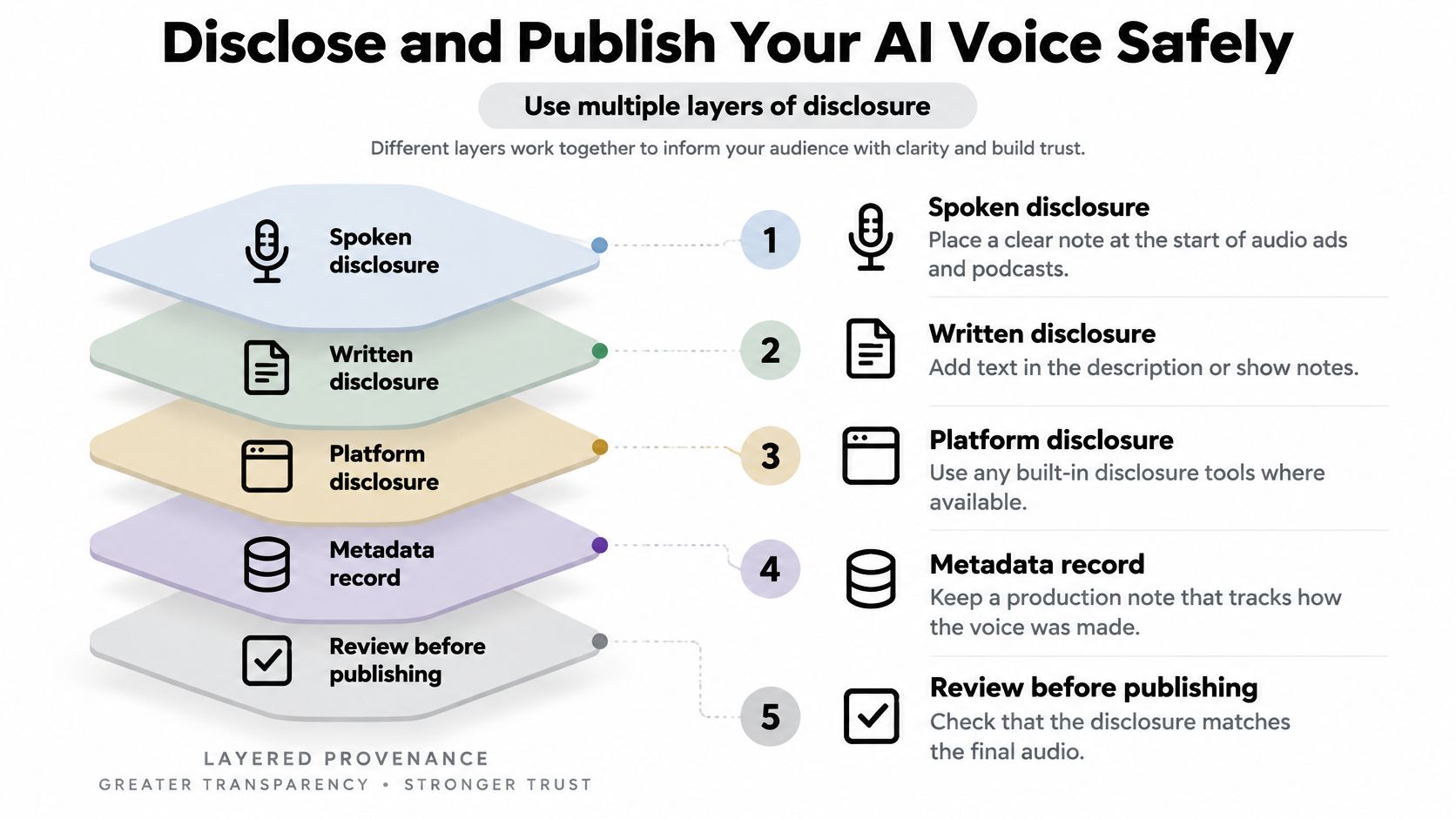
Don't rely on one signal to prove a voice is synthetic. Use layered provenance. Disclosure, records, and review work together. If one layer is stripped out during editing or upload, the others still help.
-
Place the disclosure where listeners will meet it. Use a spoken line at the start of audio ads and podcasts. Add written text in the description or show notes. Add a caption for video. Simple wording works, such as "This narration was created with AI."
-
Keep a production log. Save the script, model, settings, date, output file name, and reviewer. Store the permission record with the audio, not in a separate inbox thread.
-
Test the published file, not just the studio export. Export and re-encode the file the way your platform will. Listen again for new artifacts. Watermarks and metadata can help, but editing, compression, or voice conversion can weaken them. They aren't complete proof on their own.
-
Review high-risk uses before release. Slow down for political messages, financial instructions, emergency announcements, and any voice that resembles a real person. You're responsible for reviewing AI outputs before using them, especially commercially.
The FTC consumer alert on harmful voice cloning warns that AI voice cloning can make scam requests sound like they come from a trusted person, such as a family member or employer. One common example is a cloned relative calling during a fake emergency and asking for money. The FTC recommends independently calling the person through a known phone number or verifying the story with another relative or friend.
That risk shapes your publishing rule. Don't publish a voice that could be mistaken for a real person asking the audience to act. If the script asks for money, passwords, votes, or urgent action, get senior review and make the disclosure impossible to miss. For normal narration projects, our voiceover use cases show safer, clearer ways to present synthetic speech.
Start Your First AI Voice Today
Begin with the method you chose in the comparison table. If no real person is involved, start with a preset or designed voice. Move to cloning only after the speaker has given documented permission and finished any verification the provider requires. Get the consent step done before the first generation, so an early take you like never tempts you to skip it.
Plan your first session in six steps.
- Write a 60 to 90 second test script with questions, numbers, names, and one emotional line.
- Pick the method and write down who the voice is for.
- Generate a first take with default settings.
- Change one control at a time and listen to the first sentence twice.
- Run the acceptance checks and reject any take with wrong names or broken timing.
- Save the permission record, production log, and settings with the exported file.
If a take fails, note the setting you changed so the next attempt starts from a known point. Reuse the same test script for every later version so you can compare results fairly. Keep the permission record beside the exported audio, because anyone reviewing the project later should be able to see who agreed to what without digging through old messages.
For the generation step, Visual Sandbox offers audio tools in one workspace, including ElevenLabs Text to Speech, ElevenLabs Voice Design, ElevenLabs Voice Changer, ElevenLabs Voice Isolator, Gemini 3.8 Flash TTS, ElevenLabs Sound FX, and Eleven Music. In the platform's agent, you describe the result in plain words, and the agent picks the model and writes the prompt for it. A Voiceover job on ElevenLabs Text to Speech costs $0.02, and audio runs on the same credit balance as images, video, 3D, and vector media. You keep ownership of the prompts you submit and the media you generate, to the extent the law lets you own AI-generated output.
Make your first take today with a short test script, then test it hard before you publish a word. Visual Sandbox gives you text to speech, voice design, voice changing, voice isolation, sound effects, and music tools in one place, so you can generate and adjust voice audio without juggling separate tools. Visit Visual Sandbox and start with a preset or designed voice for your first project.