Talking Head Video: Formats, Tips and AI Tools for 2026
November 18, 2026 · 14 min read
You've cleared the kitchen table, stacked two cookbooks under the laptop, and pressed record. Forty seconds in you lose the next line, your eyes slide toward the script in the corner of the screen, and you stop the take. The file sits there for a week.
What you're trying to make is a talking head video, and it's the cheapest credible video format available to anyone with a phone. It's also unforgiving in specific ways. A handful of decisions, where the camera sits, where you look, how fast you talk, and which parts you hand to software, decide whether the clip feels like a person talking to you or a hostage reading a statement.
The rest of this guide takes those decisions one at a time.
Table of Contents
- What a Talking Head Video Is
- Talking Head Video Formats Compared
- Framing, Eye Line and Pace That Hold Attention
- Four choices that decide the shot
- A 60 second check before each take
- Captions That Hold Viewers Without Overload
- Where text starts to fight itself
- How AI Tools Fill Each Part of the Process
- The workflow in order
- When AI Builds Trust and When It Breaks It
- What stays human
- Make Your First Talking Head Video This Week
What a Talking Head Video Is
A person looks into the lens and explains one idea in plain words. That's the format. One speaker, framed head and shoulders, delivering information straight to camera with little else competing for attention.
The label is older than the web. Merriam-Webster dates the television usage of "talking head" to 1964, which places it in the era of broadcast news, documentary interviews and studio presentation (Merriam-Webster's dating via this history of the format). The visual grammar it established, one identifiable speaker in a steady frame speaking directly, moved to cable news, corporate communications, online courses, YouTube explainers, founder updates, testimonials and vertical social reels without changing much.
Scale came early too. The Los Angeles Times report on the Television Academy Foundation's archive described interviews with nearly 600 television industry figures and a YouTube channel holding more than 1,900 videos, about 950 hours of viewing, after the collection moved from Google Video in 2005 to YouTube from 2007. A single speaker, recorded plainly, becomes an archive.
Why it still works is boring and useful. The same frame plays on a television, a laptop, a phone and a video call. A visible face carries trust that a voiceover can't. Spoken words carry detail faster than text on screen. Nobody needs a set.
Three parts make the format work, and each later section changes one of them:
- One person: the viewer knows exactly who is making the claim.
- A steady frame: nothing moves except the speaker, so attention has one place to land.
- Direct delivery: the explanation is aimed at the viewer, not performed near them.
Talking Head Video Formats Compared
Six formats cover nearly everything a small team needs. Choose by the goal first. A format that serves the wrong goal wastes a month of evenings, no matter how good the lighting is.
Common talking head formats and when to use them
| Format | Best for | Production effort | Typical length |
|---|---|---|---|
| Studio talking head | Courses, thought leadership, corporate training | High | 5 to 15 minutes |
| Webcam or selfie | Founder updates, quick tips, customer replies | Low | 60 to 120 seconds |
| Vertical reel with captions | Social ads and short explainers | Low | 15 to 45 seconds |
| Screen plus face | Software tutorials and walkthroughs | Medium | 2 to 6 minutes |
| Interview or panel | Testimonials, podcasts, expert commentary | Medium | 8 to 30 minutes |
| AI avatar presenter | Scalable explainers and multilingual versions | Low to medium | 30 seconds to 3 minutes |
Vertical reels with captions are the format to learn first, because the feedback arrives in hours rather than quarters. Say a bakery posts a 20 second clip of a new loaf. Most viewers will meet it on mute with a thumb already moving, so the opening shot and the caption do more work than a better camera would.
Studio talking heads sit at the other end. Courses, thought leadership and corporate training justify lights, a clean set and an edit that removes every stumble, because the video will be watched for years. A tight 10 minute lesson can still eat a full day.
The middle three are easier to describe as a set:
- Webcam or selfie: founder updates, quick tips and replies to customer questions. The kit is a quiet room, a window and a phone.
- Screen plus face: software tutorials and walkthroughs. The speaker explains while the screen shows the step, so the viewer can follow with the sound low. Most of the effort lands in the edit.
- Interview or panel: testimonials, podcasts and expert commentary. Two people means scheduling, two microphones and a second angle, which is why it takes more planning than it looks.
AI avatar presenters earn their place when one script has to become twelve language versions or forty product variants. Effort per version drops sharply. The disclosure obligation doesn't.
If your output has to fit UK platform habits and audience sizes, the social video playbook for UK SMEs from Carlos Alba Media covers the distribution side once the footage exists.
Pick one goal first: if you can't finish the sentence "after watching, the viewer will...", no format will rescue the script.
Framing, Eye Line and Pace That Hold Attention
Viewers read a face before they read a word of the script. Eyes, mouth, posture and light land in the first second, and they decide whether the next ten seconds are worth the wait. Every framing choice either helps that judgment or distracts from it.
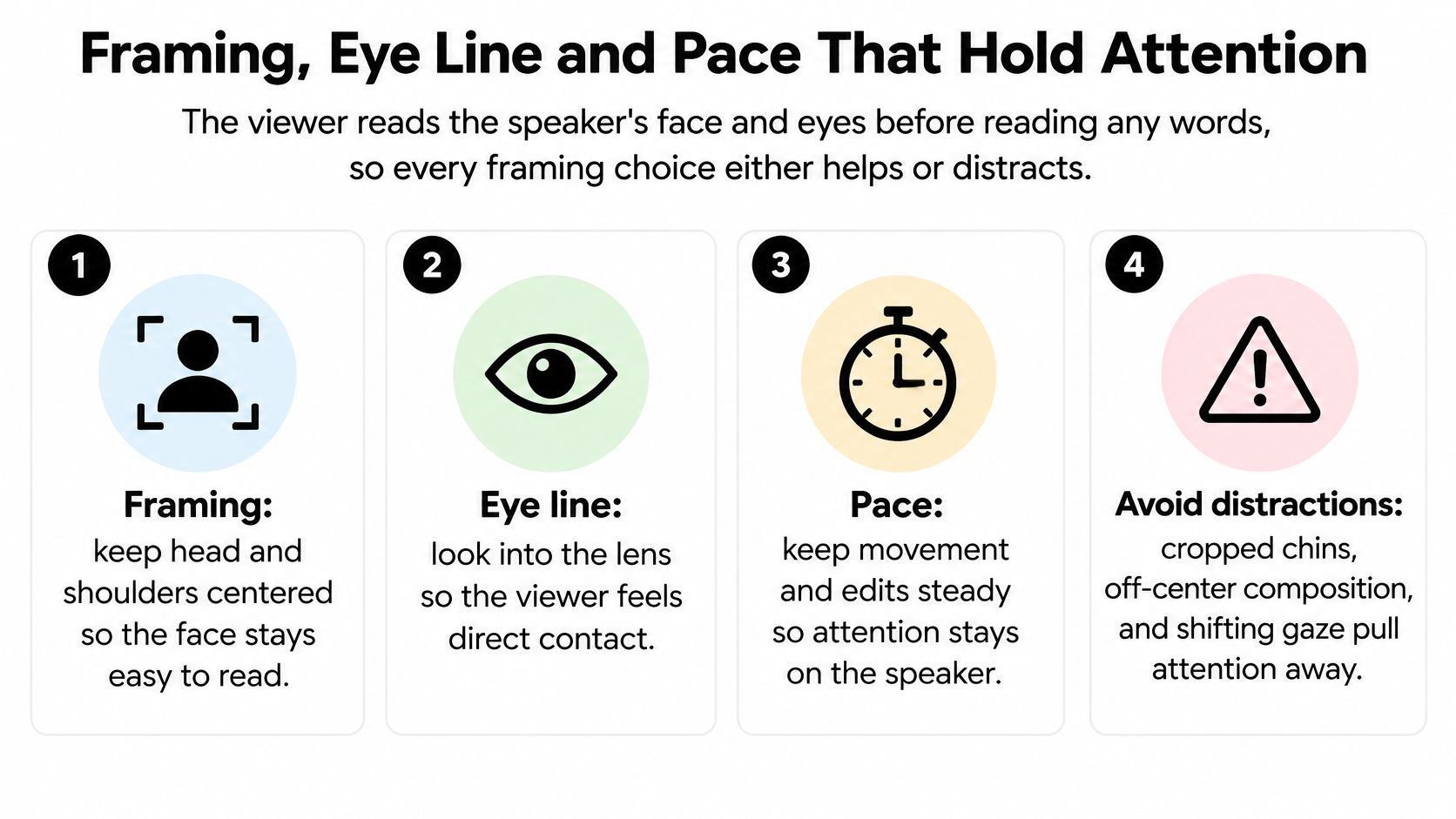
Four choices that decide the shot
- Framing: head and shoulders in the upper third, a little headroom above, a little space on the side the speaker faces. A cropped chin reads as an accident, and viewers stop trusting accidents.
- Eye line: lens at eye height, eyes on the lens. Looking off-lens reads as reading or hiding, and viewers register both even when they can't name them.
- Audio: a clip-on lavalier or a USB microphone close to the mouth. Viewers forgive soft focus far faster than they forgive echo and hiss.
- Background and light: a clean, lived-in room, face lit from a window or softbox at roughly 45 degrees. A bare wall behind a well-lit face beats a busy room behind a dim one.
The eye-level camera angle is the one to lock down first, because every other choice assumes the viewer feels met rather than looked down on.
Then there's pace, and the numbers are blunt. A study of 6.9 million video-watching sessions found that instructors who looked directly at the camera in informal settings, such as a home office or a field location, held attention for nearly twice as long as instructors in professional studio lectures. Delivery speed moved the same measure: videos at up to 254 words per minute generally retained viewers about twice as long as videos below 166 words per minute. Both gaps shrank after the 12 minute mark, which tells you where the main point belongs (Delta State University summary of the viewer retention study).
The same principles in moving form:
A 60 second check before each take
- Height: lens level with your eyes, not your chin, not your forehead.
- Distance: an arm's length away, so the frame ends near your collarbone.
- Light source: in front of you, not behind the window.
- Sound: headphones on, one test sentence recorded and played back.
- Room noise: fridge, fan and notifications off. Listen for ten seconds before you trust it.
- First line: say it out loud once before recording, so the take starts clean.
Captions That Hold Viewers Without Overload
Picture the viewer on a train with the sound off, phone held low, one thumb on the screen. If there's no text, that viewer leaves in the first three seconds, and they never find out whether your point was good.
Captions fix that, and they also serve people who are deaf or hard of hearing. Accuracy matters more than styling. Match the spoken words, punctuate them, and fix the names and numbers that automatic transcription always gets wrong.
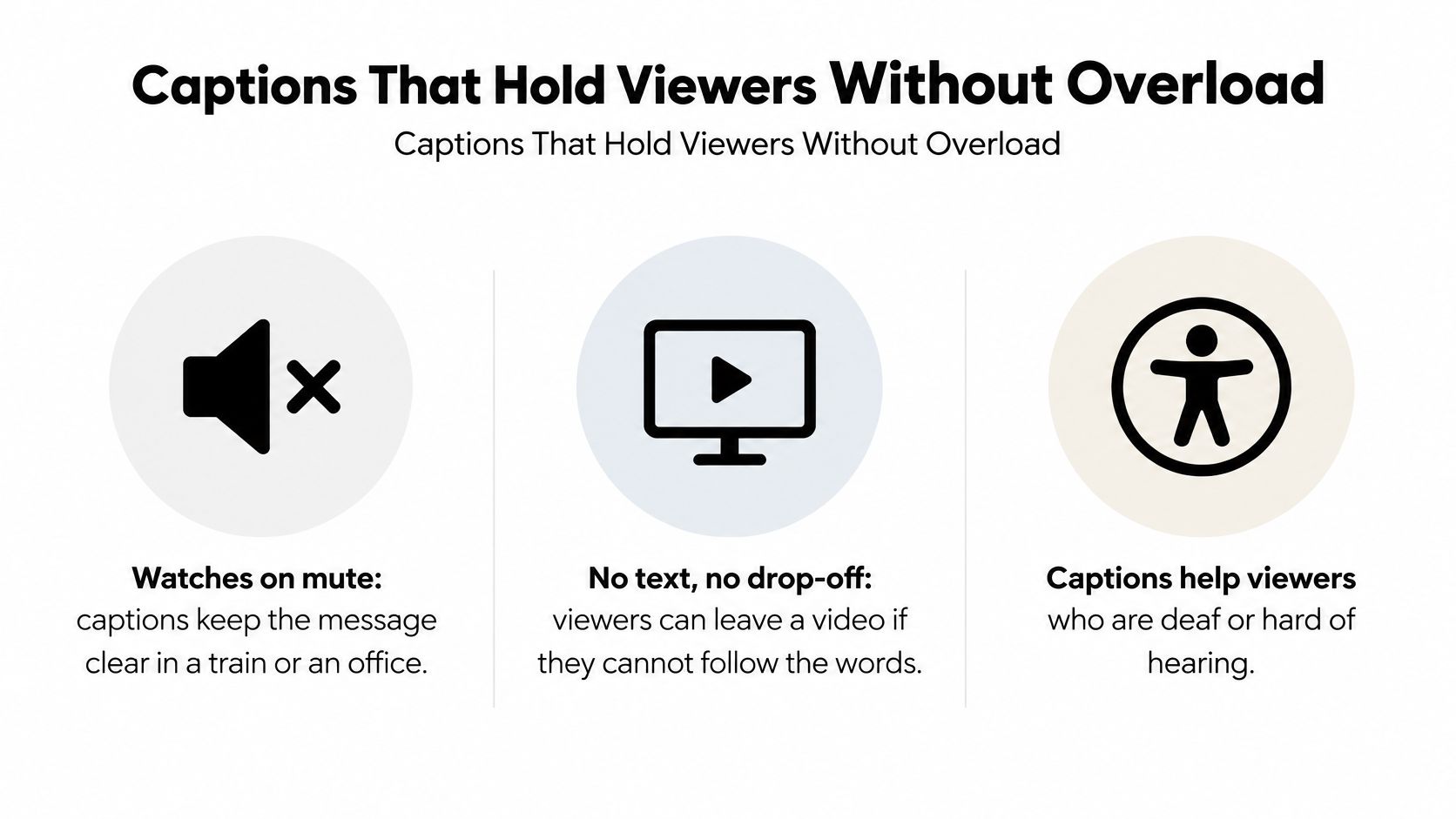
Keep captions in the lower third, clear of the speaker's mouth, at two lines maximum. A caption block over the chin hides the one thing viewers are reading.
Where text starts to fight itself
Text helps until it competes with itself. Research with deaf and hard-of-hearing educators found that a captioned talking head can still overwhelm viewers when captions, slide text and the speaker all demand the same visual channel. In that study of 16 participants, the strongest intervention wasn't more text or slower playback. Replacing monotonous talking-head imagery with relevant illustrations significantly reduced mental, physical and temporal demands, while slowing the video produced no significant improvement (the 2025 accessibility study).
The same paper reports that captions improved post-video comprehension for participants with ADHD. So text can carry retention rather than merely satisfy a compliance requirement.
One text stream per moment. If the slide already says it, the caption shouldn't.
The commercial case is well measured. A 2019 Verizon Media and Publicis Media study of 5,616 United States consumers found that 80% were more likely to watch a video to the end when captions were available. The same research reported an 8% increase in ad recall and a 13% increase in brand linkage for captioned ads, and separate Facebook research found captions increased average video view time by about 12% (Kapwing's roundup of the caption studies).
Treat those figures as evidence to test, not a promise. They're older, platform-specific, and measured on other people's videos. Run the comparison on your own channel: same format, one captioned, one not, and read the completion rate before you conclude anything.
How AI Tools Fill Each Part of the Process
A talking head video isn't one object. It's a stack of parts: words, voice, face, cutaways, captions, finish. AI can build or repair each part separately, which is the useful way to think about it. You're not choosing between "human video" and "AI video", you're choosing which parts to hand over.
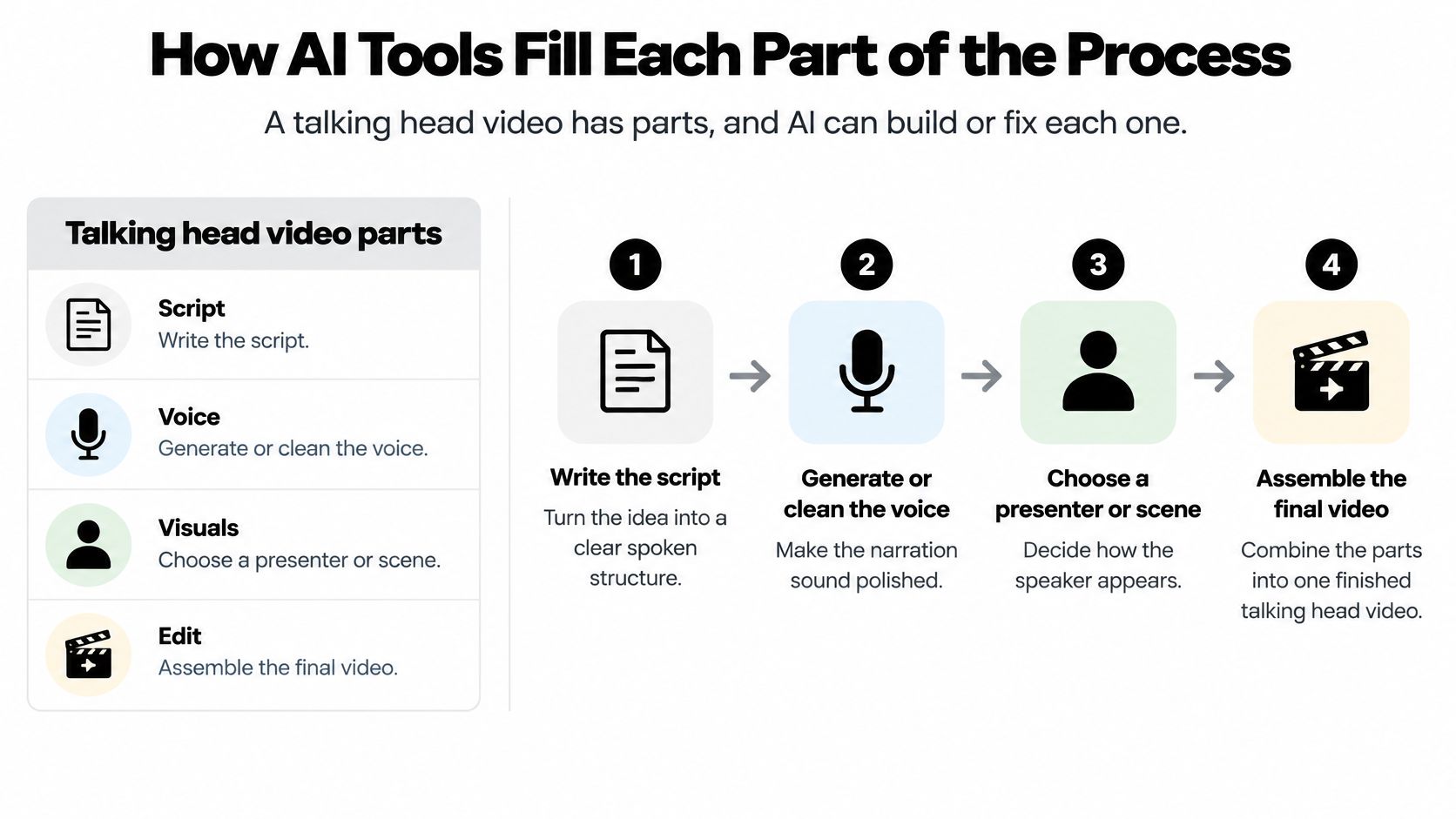
There's a real difference between tools that create a presenter and tools that repair footage. A generator makes a face speak. A repair tool rescues something you already shot. Most first projects need the second kind far more than the first.
AI tasks across a talking head video
| Task | What AI does | Where it fits |
|---|---|---|
| Voice | Turns a written script into spoken audio | Voiceover for a silent or faceless video |
| Voice cleanup | Isolates speech and reduces background noise | Rescuing a noisy phone recording |
| Lip sync | Matches mouth movement to a new audio track | Translated or re-recorded lines |
| Avatar presenter | Animates a portrait to speak a script | Explainers made without filming |
| Clip generation | Creates short motion scenes from text or an image | Cutaways between talking shots |
| Captions | Transcribes speech into timed text | Viewers who watch with sound off |
| Background and upscale | Removes backgrounds and raises resolution | Cleaner frames and a sharper export |
The workflow in order
- Write the script for the ear. Short sentences, one idea per line. Read it aloud and cut anything you stumble on, because the stumble is the sentence's fault, not yours.
- Generate or clean the voice. A text to speech voice gives you a scratch track to edit against, or a finished narration when you'd rather not record. If the source audio is noisy, an audio cleanup guide on removing background noise shows how much of a phone recording survives isolation, which is usually more than people expect.
- Decide who appears. A real presenter, or an avatar animated from a portrait. The second option solves scheduling and languages, not credibility.
- Match the mouth to the new audio. Lip sync lets you keep existing footage and swap the words, which is how translation stops requiring a reshoot.
- Cover the cuts with cutaways. A generated clip over a jump cut keeps the edit invisible.
- Caption, clean the background, upscale, export. The finish is the least glamorous step and the one viewers notice.
Lip sync deserves a second look, because a sync score isn't the whole test. Baselines often land around 50 to 60 milliseconds of mean temporal misalignment, close to commonly cited acceptability limits. Yet participants in one evaluation preferred mouth motion that scaled with speech energy even when it exceeded the maximum-asynchrony threshold by roughly twofold (arXiv evaluation of talking head models). Watch for mouth movement that matches emphasis, not just timestamps.
Visual Sandbox is one workspace where image, video, audio and editing models sit together, so a first draft and its finish don't require three separate tools. Whatever you use, watch each output before it goes near a timeline.
When AI Builds Trust and When It Breaks It
A founder records a six minute update on a real camera, then runs the audio through AI to produce Spanish, German and Portuguese versions. Most viewers accept that without a second thought, because the person making the claim is still the person on screen.
Now change one detail. The founder never records anything, and an avatar of her presents a customer testimonial that no customer ever gave. Viewers who notice feel sold to, and they're right to.
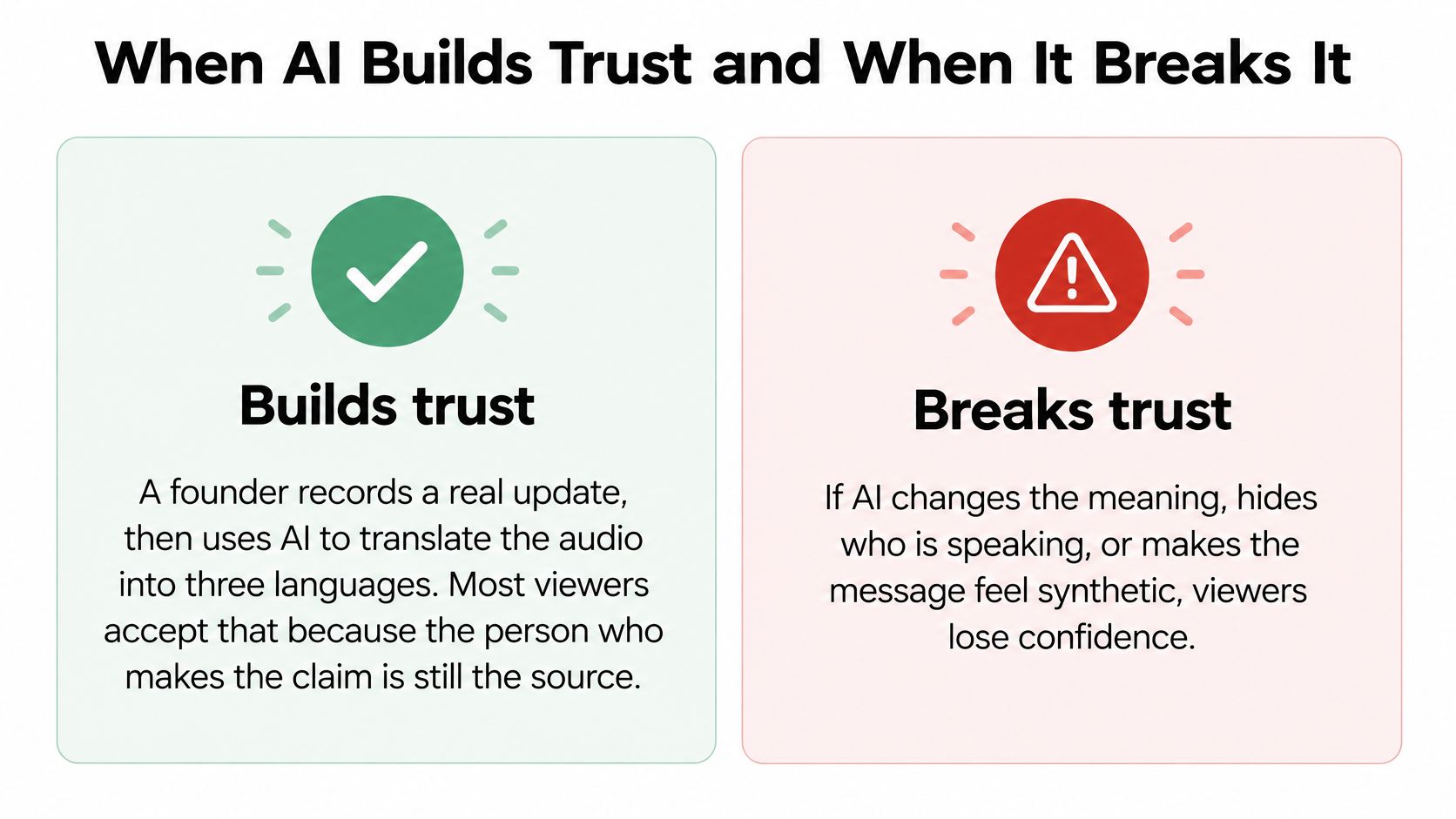
The line between those two scenes isn't the amount of AI involved. It's accountability. A talking head video works because a named person stands behind the sentence. Whatever preserves that link is safe to automate. Whatever fakes it isn't.
What stays human
- Identity: who is claiming this. A synthetic face where a real one should be spends trust rather than earning it.
- The claim: the offer, the promise, the opinion. Someone has to own it.
- Demonstrations: the product working, on camera, in a way that can't be faked by a script.
- Testimonials and expert judgment: words attributed to a customer or a specialist who never said them.
Everything else is fair game. Captions, translated audio from a real recording, noise cleanup, background removal, cutaways, upscaling and editing passes usually improve the video without touching the trust equation.
The audience data is more balanced than the shouting suggests. Survey evidence from 2,385 consumers found audiences open to AI-generated video while expecting authenticity, quality and transparency. A 2025 systematic review reported that 75% of consumers preferred disclosure of AI involvement, while also noting that disclosure can reduce trust because it activates persuasion knowledge, with perceived authenticity as the main mechanism (the survey and systematic review summary). That's why the wording of a disclosure matters more than ticking a box.
If you're weighing an avatar of yourself for course content, cloning yourself for video is a decision about identity, not just workflow. Once that policy is settled, best practices for AI-generated content from Taja AI cover how to write and label the post around it.
The working rule: keep the face, the claim and the proof human. Let AI handle the rest.
Make Your First Talking Head Video This Week
Seven steps, one week, no gear budget.
- Pick one goal and one format from the table. "A 90 second webcam update for the March launch" is a project. "A tour of everything we do" is a mood.
- Write the script with the main point in the first 30 seconds. If someone watches only half a minute, they should still leave with the answer.
- Record in a quiet room with the lens at eye height and the light on your face. Three takes, then stop. The fourth is always worse.
- Use AI only where it removes a blocker. A cleaned voice track, one translated line, a single cutaway. Adding five tools to a first project is how it dies.
- Add accurate captions and check them against the audio. Names, product terms and numbers are where automatic transcription fails.
- State plainly what AI did. One sentence in the description is enough. Most viewers prefer knowing, and the ones who don't care won't be annoyed by a line they skim.
- Publish, then read completion and watch time before making the next one. Change one variable at a time, or you'll learn nothing.
Keep the script, the voice and the edit in one workspace if you can. Half the reason first videos never ship is the file shuffling between four tabs.
Visual Sandbox runs image, video, audio, vector and 3D models together on a shared credit balance, so the voice, the avatar take, the cutaway and the upscale all come from one place instead of four subscriptions. Start with the step that's blocking you, whether that's a clean narration track or a presenter you don't have to film, and keep the face and the claim yours. Visit Visual Sandbox to run your first take.