AI Voice Generator Singing: How Synthetic Vocals Work
November 12, 2026 · 13 min read
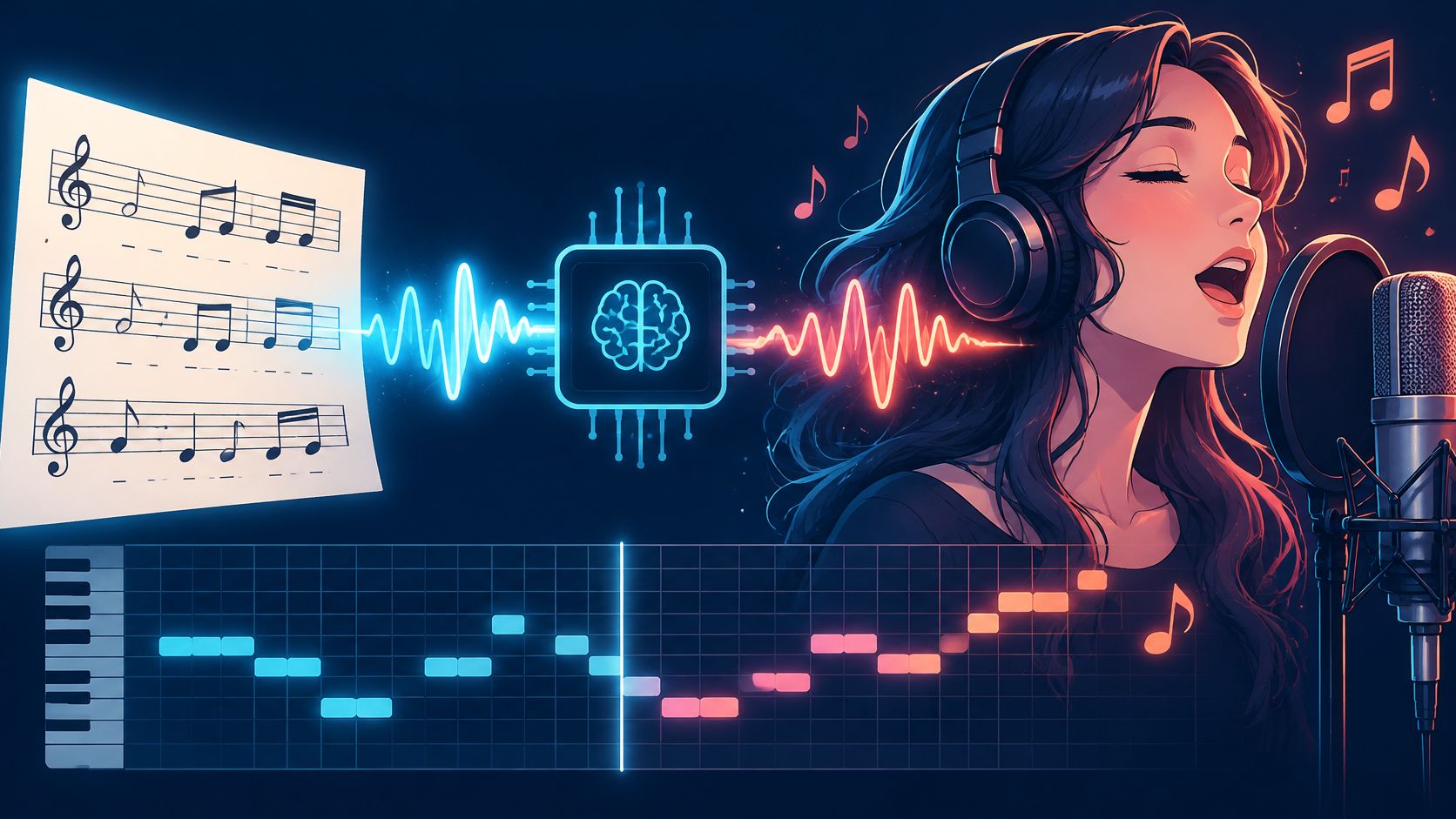
An AI voice generator singing tool turns lyrics, a note-level melody and timing into a sung vocal, and the result needs rights and disclosure checks before release.
You have a finished chorus, no singer booked, and a demo due Friday. The vocal you hear in the next few minutes is only as good as the notes you feed in, and it is only safe to share after the rights are settled.
Table of Contents
- Why AI Singing Voices Suddenly Sound Real
- How Lyrics and Melody Become a Sung Line
- Three layers, not one magic box
- Musical Inputs That Shape the Final Voice
- Start with words, then lock the tune
- Pitch is the control that carries the hook
- Rights and Consent Before You Release a Vocal
- Four cases, four different clearances
- How to Create a Singing Voice Step by Step
- Signs the phrase is ready
- Real Uses and Where Results Still Fall Short
- Where a human singer still wins
- Disclose AI Vocals and Confirm Your Next Step
- A provenance note you can actually attach
Why AI Singing Voices Suddenly Sound Real
The chorus is written. Friday is close. Booking a singer would blow the deadline and the budget. An AI voice generator singing tool lets you hear that chorus sung in minutes, so you can judge the hook before you spend on a session.
The question is no longer a niche studio trick. In 2024, 69% of 1,000 surveyed U.S. adults said they had heard of AI being used to create or complete musical compositions, according to a YouGov survey. That number is awareness. It does not mean most listeners have used these tools.
The wider music stack is already large. The 2025 IMS Business Report, as reported by DJ Mag, estimated that 60 million people worldwide used AI software to create music during 2024. The same reporting cited Deezer's February 2025 estimate that about 10,000 fully AI-generated tracks reached its platform every day. Those counts cover AI music in general, not singing voices alone.
Practical rule: Use the synthetic take to hear the song. Do not treat it as cleared until the rights and the label are done.
What decides the result is a short list. Musical inputs steer the melody. Rights and consent come before you generate anything you might release. An eight-step workflow keeps the first pass small. Real uses and limits tell you when a human singer still wins. Disclosure is what you attach before the file leaves your project folder. That path is how you decide whether a synthetic vocal fits this song.
How Lyrics and Melody Become a Sung Line
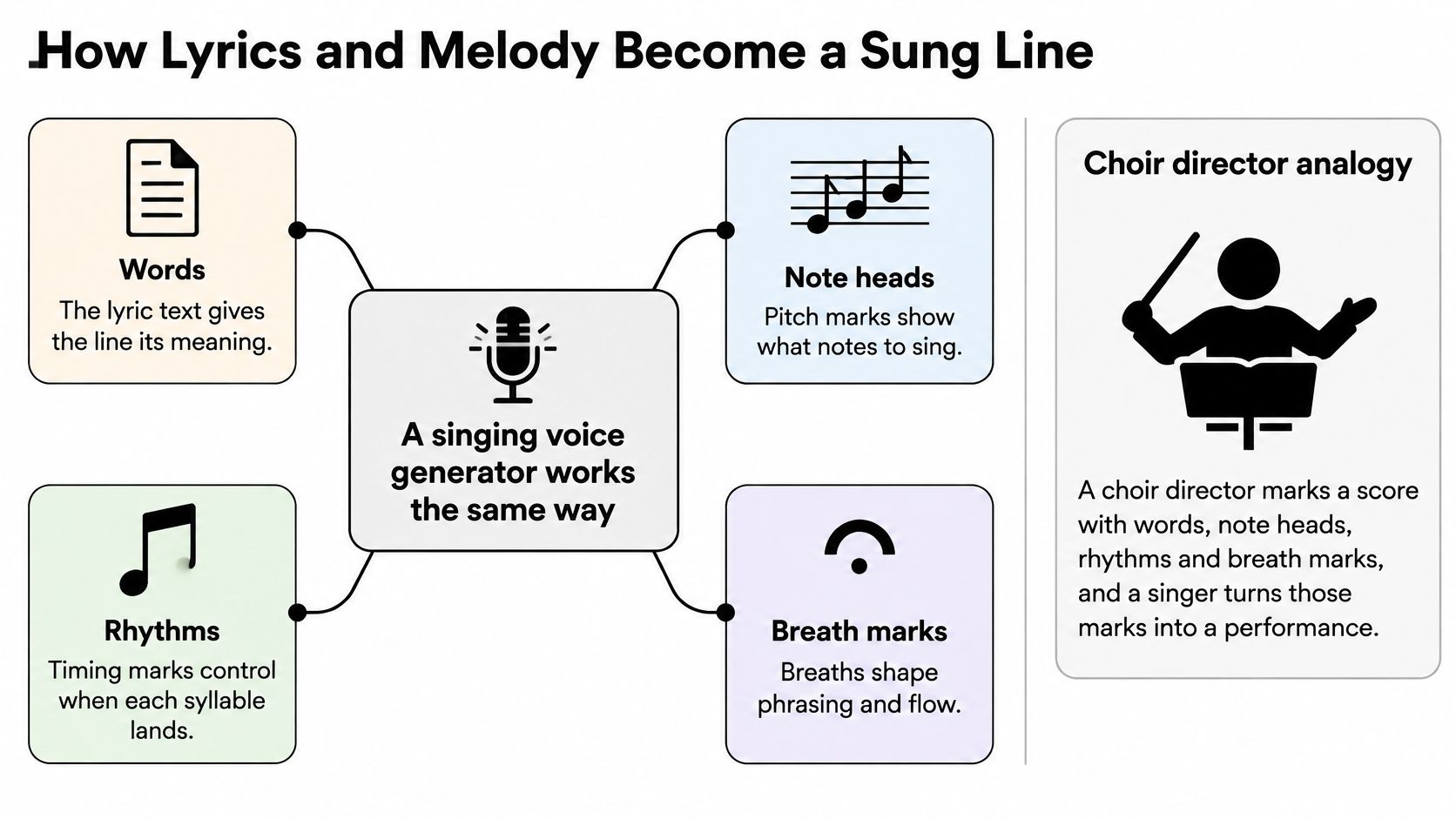
A choir director marks a score with words, note heads, rhythms and breath marks. A singer turns those marks into a performance. A singing voice generator works the same way. It reads lyrics, notes and timing, predicts how each syllable should be sung, and then renders audio.
Three layers, not one magic box
The music layer decides pitch and timing. The acoustic layer shapes the voice's character, including vowel colour and how hard a consonant hits. The vocoder turns that plan into a waveform you can play. If the music layer is wrong, a prettier vocoder will not save the tune.
This is not ordinary text to speech. A speech model can read a sentence on a flat pitch. A singing model must hold a note, follow a beat and bend pitch on purpose. A review of singing systems notes that these tools can produce lyrics, vocal timbre and phrasing from text prompts or melodies, and that listeners detected cloned voices at about 60.8% accuracy. That is above chance, and it still leaves plenty of room for confusion. When the output imitates an identifiable person, it is generally treated as an audio deepfake.
The idea of feeding notes and lyrics to a singer-in-software is older than today's neural models. Commercially available score-to-singing tools, including Yamaha's VOCALOID and VirSyn's Cantor, arrived in 2003, as a technical survey of singing-voice synthesis records. Neural models improved timbre. They did not remove the need for a score. If you mainly need a spoken read of a script, a text to speech workflow is the closer match. Singing starts when pitch and bar position matter.
| Mode | Input You Provide | Best Use | Main Risk |
|---|---|---|---|
| Generate from lyrics and melody | Lyrics, note list and tempo | Original song drafts and demos | Pitch errors if the melody file is weak |
| Convert your own vocal take | Your recorded performance | Changing the timbre of a take you own | Consent for the conversion must be documented |
| Clone a named singer | Reference audio of that singer | Rarely safe for release | Identity and publicity claims that need written authorization |
Most of the song's quality depends on the musical instructions that go in. A weak melody file produces a weak vocal, no matter which mode you pick.
Musical Inputs That Shape the Final Voice
These are the controls you have. Modern generators respond to explicit musical conditions, not to a lyric dumped in as plain text. The table lists each input, what it controls, a short example, and what fails when you skip it.
| Input | What It Controls | Example | What Breaks Without It |
|---|---|---|---|
| Lyrics | Words and syllable count | Each line split into syllables | Words slur or land on the wrong beats |
| Phoneme timing | When each sound starts and ends | A long vowel held across two beats | Consonants clip and phrases drag |
| Melody as MIDI or note contour | Pitch of each note | An eight-bar hook entered as notes | Wrong notes and unstable pitch |
| Tempo and beat grid | Rhythm and phrase length | A chorus locked at 96 BPM in 4/4 | Phrases fall off the groove |
| Expression settings | Vibrato, dynamics and breath | Vibrato added to a held note at a phrase end | Flat or robotic delivery |
| Voice model or reference | Timbre and character | An adult alto preset | Voice mismatches the song's mood |
Start with words, then lock the tune
Lyrics set the syllable count. Split “forever” before you assign notes, or the tool will smear it across the bar. Phoneme timing says when each sound starts and ends. A long “ah” across two beats needs that length written in, or the consonant after it gets chopped.
Melody as MIDI or a note contour is the pitch of each note. Tempo and the beat grid set phrase length. Expression settings cover vibrato, dynamics and breath. The voice model is timbre. An alto preset will not suddenly become a bright tenor because the lyric feels brighter.
Pitch is the control that carries the hook
An end-to-end singing-voice study found that generators are typically steered by lyrics, phoneme timing, beat information and fundamental frequency (F₀), not by text alone. Adding a pitch-conditioning module gave direct control of the melody, and pitch-aware front ends had the strongest pitch accuracy in that comparison. Give the tool a reliable MIDI or note-level contour, aligned lyric phonemes and timing metadata.
Errors in F₀ tracking or phoneme alignment show up as wrong notes, unstable vibrato, clipped consonants and unnatural transitions. Prepare the melody as MIDI or a note list before you generate. Do not ask the tool to guess the tune from a mood word.
A pleasant overall sound does not prove the notes or the words. Check both.
Two checks are enough on a first pass. Listen for pitch drift against the melody you wrote. Then listen for whether every word is clear. If you want a number later, F₀ root-mean-square error, voiced versus unvoiced classification, and the correlation between target and synthesized pitch contours are the measures that match those two ears.
Rights and Consent Before You Release a Vocal
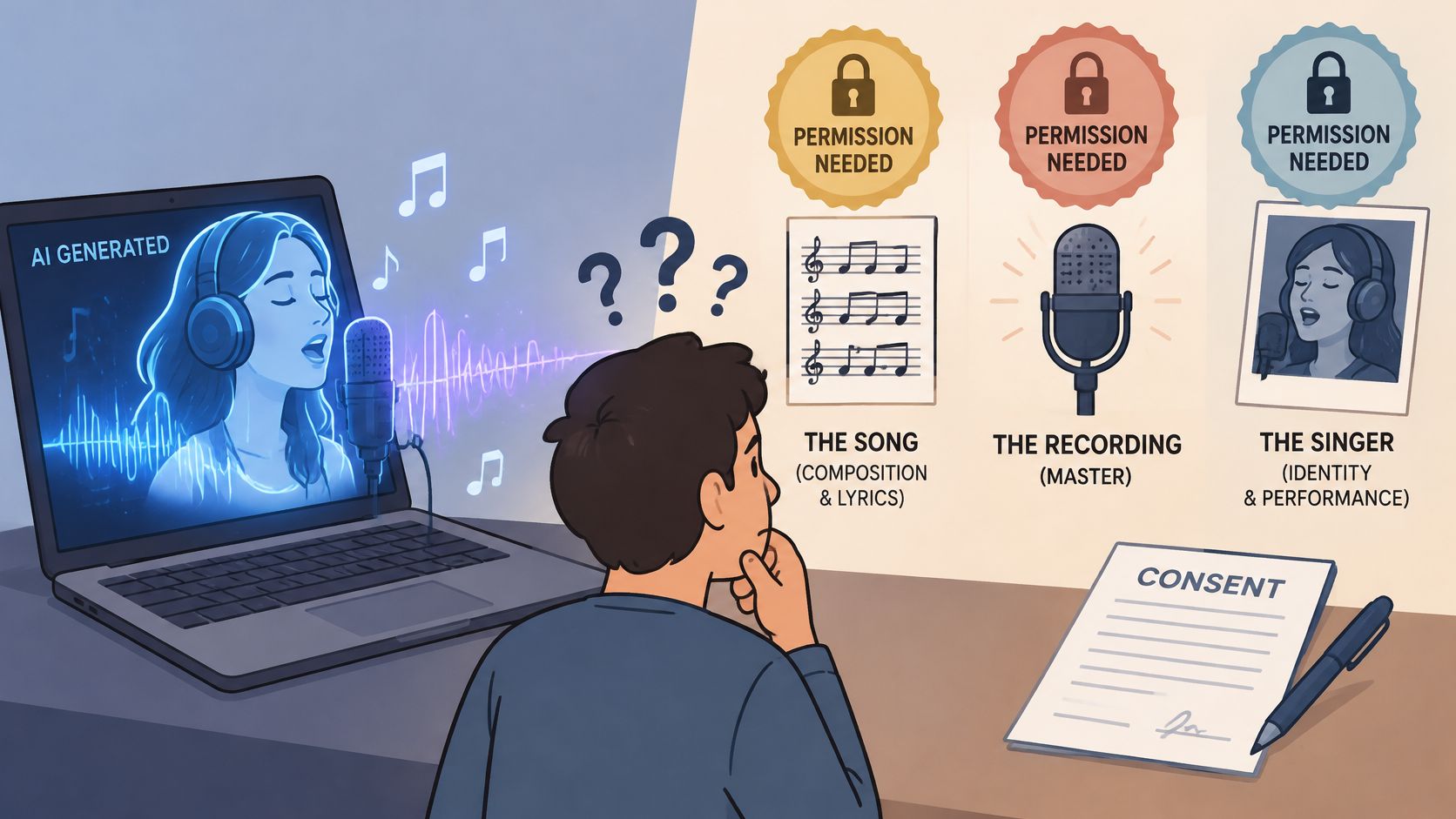
AI-generated does not mean copyright-free, and it does not mean cleared for release. Three rights sit on almost every vocal. The song covers lyrics and melody. The recording covers the audio file. The singer's identity or performance covers a recognizable voice, even when you never copied an old master.
A recognizable singing voice is not automatically protected by copyright the way a sound recording is. A legal survey of voice and synthetic performance notes that copyright generally covers the recorded performance, lyrics, melody and other protected material, while vocal identity may fall under publicity, likeness, contract or unfair competition law. Tennessee's ELVIS Act, effective in 2024, specifically extends protection to a person's voice against unauthorized AI-generated impersonation. A similar voice, with no copied recording, can still create legal risk.
Four cases, four different clearances
| Case | Rights Involved | Safer Approach |
|---|---|---|
| Original melody sung by a synthetic voice | Song copyright and recording rights in your own work | Keep prompts, melody files and source records |
| Conversion of your own vocal take | Your performance and recording | Keep the original take and a record of your consent to the conversion |
| Imitating a named living or deceased singer | Identity, publicity and performer rights | Avoid it, or get written authorization that covers the exact use |
| Cover of a copyrighted song | Composition rights and master recording rights | Clear the song rights before release |
Check the case before you generate, not after a platform takes the file down. An original melody with a synthetic voice is the cleanest draft, and you still keep the prompts and the melody file. Converting your own take is a different right from inventing a new melody. Imitating a named singer, living or dead, is the case I would not ship. A cover still needs the composition cleared, and often the master if you lean on an existing recording.
A specialist legal analysis from LESI recommends express, specific and informed consent that states permitted uses, duration, territory and scope. A general recording agreement may not authorize model training, voice cloning, synthetic performances or commercial distribution. Written permission matters most when the vocal is recognizable as a real performer, or when you will release it publicly. Publicity and performer rules differ by country, so this table is a working principle, not legal advice for your territory. If you are still choosing how a voice gets built, start from how to make an AI voice with consent written down first.
How to Create a Singing Voice Step by Step
Work one short phrase until it holds, then expand. Each step below has a reason and the slip that usually ruins it.
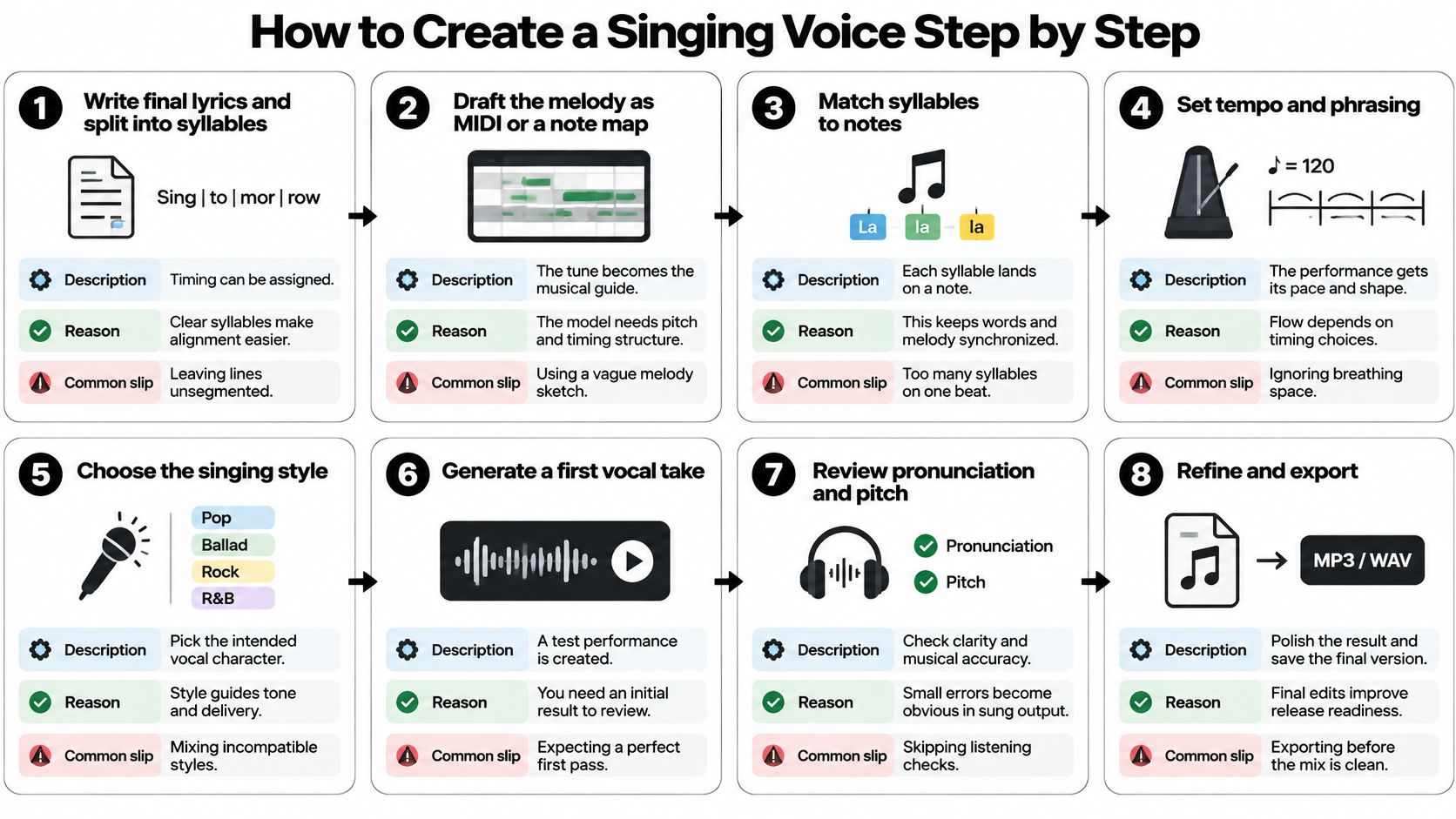
- Write the final lyrics and split each line into syllables. Timing can only be assigned to sounds you have marked. Leaving a line as one blob is the usual slip, and the stresses land in the wrong place.
- Draft the melody as MIDI or a note list in the song's key. A wrong key is painful to repair without regenerating. A hummed sketch with no note names is the slip.
- Set the tempo and the bar grid so every phrase starts on a known beat. A late vocal almost always traces back to a tempo that does not match the backing track.
- Choose a voice model whose range covers the lowest and highest notes, then sing those two pitches as a test. Picking a model because the name sounds cool, then discovering the top note breaks, wastes the pass.
- Generate a four-bar test phrase, not the full song. You want problems while the render is cheap. Generating the whole track first hides one bad bar inside three minutes of audio.
- Check pitch and timing in a piano-roll view, then listen. The piano roll shows whether the notes match your melody sheet. Your ears still have to pass the pitch and clarity checks you already set for this vocal. Skipping the roll and trusting a waveform is the slip.
- Regenerate only the flawed phrase, with the other settings unchanged. A full re-roll makes the voice drift between sections. Changing the model “just for that bar” does the same thing.
- Export the vocal stem, apply light mastering, and save the lyrics, melody file, settings and prompts in one project folder. Heavy tuning on a broken phrase hides the problem. Exporting before the folder is complete means you cannot explain the take later.
Signs the phrase is ready
The phrase lands on the beat. Every word is clear on first listen. The pitch matches the melody sheet, including the highest note. If one of those three fails, go back to that step only. Do not master your way out of it.
Real Uses and Where Results Still Fall Short
Three jobs are realistic this week. A songwriter sends a generated vocal so a publisher can hear the chorus without a session singer. An indie game team needs one sung line for a character who appears in a single scene. A small brand wants a six-second jingle for social posts. In each case the tool is good at fast drafts, a consistent tone, and a quick edit to a single line.
Where a human singer still wins
The same tools fall short in known conditions, not as a vague warning.
- Very high held notes often warble or thin out, even when the MIDI pitch is correct.
- Breathy or whispered effects turn into noise or a full-voice syllable the model was not built to sustain.
- Fast melismatic runs smear. The notes exist in the file, and the consonants do not survive them.
- Subtle emotional shifts inside one phrase stay flat. You can mark louder and softer. You cannot reliably mark “a little more reluctant on the third word.”
- Long songs are where the voice may drift between sections, especially if you regenerated with different settings.
Shorten the sung section, change the key so the top note sits inside the model, or keep the vocal as a demo. Those are the fixes that work. Hoping the next random seed will “feel it” does not.
Use a generated vocal for drafts, placeholders, short game or ad lines and prototypes. Plan a human recording when the voice carries the emotional weight of a final release.
Generate one hard passage, the high note or the fast run, and judge it against the standard that passage needs in the finished project. If the line only has to read as a character sting, a synthetic take can stay. If you also need a bed under it, an Eleven Music generation can sketch the backing while the vocal decision is still open. Do not let a pretty bed talk you into shipping a vocal that failed the hard bar.
Disclose AI Vocals and Confirm Your Next Step
Disclosure is part of the release, not a footnote you add if someone asks. Spotify announced in September 2025 that vocal impersonation is allowed only when the impersonated artist has authorized the use. Industry disclosure systems can also mark AI involvement by category, including vocals, instrumentation and post-production. An original synthetic singer, an authorized clone and an unauthorized imitation are not the same track. Label them as different things.
A provenance note you can actually attach
Write a short note and keep it with the stem.
- Lyrics, melody, backing track, voice conversion, mastering: mark each part as human-made, AI-made, or mixed.
- Prompts and source files: store the lyric sheet, the MIDI, the model name and the settings next to the audio.
- Consent records: keep the written permission, including use, duration, territory and scope, if any real performer's voice is involved.
- Release metadata: put a one-line disclosure in the credits or upload form, in the same words as the note.
Listeners often cannot settle this by ear. An international blind test covered by Creative AI News found that 97% of 9,000 participants could not distinguish fully AI-generated music from human-made music. The note is the proof. Your ears are not.
Pick one short song or jingle. Run the eight steps. Fill in the provenance note. Check the rights table before you publish. Visual Sandbox is a practical place to run that test vocal.
Visual Sandbox is a pay-per-use workspace for images, video, audio, vectors and 3D, so you can try a synthetic singing line without a subscription. Bring your lyrics, your note-level melody and your disclosure note, and keep the rights check in front of any public upload. Visit Visual Sandbox and run one short phrase before you book the singer.