AI image models that get text right (and what they cost)
July 9, 2026 · 3 min read
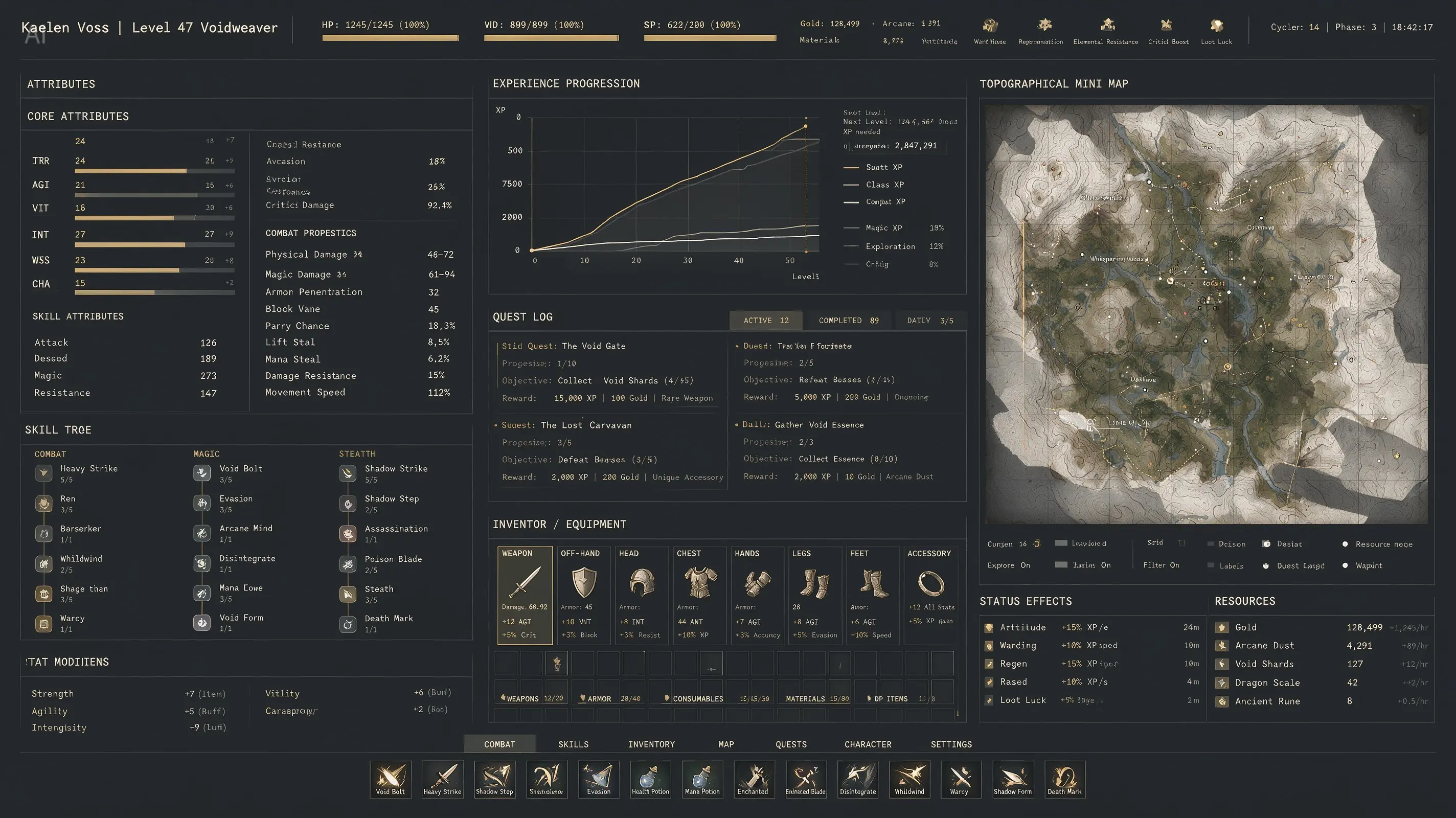
ByteDance shipped Seedream 5.0 Pro on July 8, 2026, and the pitch is not prettier pictures. It is text: dense infographics, posters, and mockups with copy you can read.
That tells you where image models are competing in 2026. Photorealism is close to solved. Readable text inside the image is not.
Images: ByteDance, Seedream 5.0 Pro sample outputs.
Why text is still the hard part
Image models do not write letters. They paint shapes that look like letters, learned from billions of pictures.
That works fine for a big headline. It falls apart on small labels, dense paragraphs, and any script the model saw less of in training.
Non-Latin text fails more often, and it fails quietly. Even splashy model launch videos have shipped with garbled Arabic in the background art. If you cannot read the script, you cannot catch the mistake. Keep that in mind before you put generated text in front of customers.
The cover of this post is an official Seedream 5.0 Pro sample, a fake game interface packed with stats. Zoom in and you will still find misspelled labels in it.
The five models worth using for text
These are the models in Visual Sandbox with dependable text rendering. The price spread on each row covers its resolution or quality tiers. Prices are live rates at publish time.
| Model | Where it shines | Price per image |
|---|---|---|
| GPT Image 2 | Posters, UI mockups, magazine covers | $0.01 to $0.27 |
| Nano Banana Pro | Infographics, print-quality typography, 4K | $0.19 to $0.38 |
| Nano Banana 2 | Infographics and precise edits | $0.09 to $0.19 |
| FLUX.2 Klein 9B | Headlines and signage in under a second | $0.02 to $0.08 |
| Z-Image Turbo | English and Chinese text, bulk drafts | $0.01 to $0.02 |
Quick guide: Nano Banana Pro for anything going to print or a client. GPT Image 2 when the layout matters as much as the words. Z-Image Turbo when you need thirty rough drafts before lunch.
How to prompt for text that survives
Five habits fix most garbled output:
- Put the exact copy in quotes. Write
the headline reads "Summer Sale, 40% Off". Models treat quoted strings as content to reproduce, not as a vibe. - Keep it short. Every extra word raises the odds of a typo. A slogan survives. A paragraph usually does not.
- Say where the text goes. "Centered at the top" or "on the shop sign above the door". Unplaced text floats into weird spots.
- One language per image. Mixing scripts in a single generation multiplies errors.
- Go up in resolution for small text. Fine print that smears at 1K often holds at 2K or 4K.
Iterate cheap, finish expensive
Text is the thing you regenerate most. One wrong letter means a new image, so the draft loop should run on the cheapest capable model.
Ten draft posters on Z-Image Turbo cost $0.10. Pick the layout that works, then rebuild it once at 4K on Nano Banana Pro for $0.38. The whole job lands at $0.48, less than a single high-quality GPT Image 2 render at $0.27 plus one retry.
The multilingual catch
Native multilingual rendering is genuinely new. Until recently the standard workflow was to generate the visual, then bolt translated text on top in an editor. Models that render Chinese, Arabic, or Hindi directly skip that whole step.

But treat every script you cannot read as unverified. The model renders with total confidence either way. Before a localized asset ships, have someone who reads the language check it, letter by letter.
The short version: text rendering went from party trick to production skill this year. Draft cheap, verify every word, and save the expensive 4K render for the version that already survived your spell check.